About Link in Bio and Blog for Book Creators
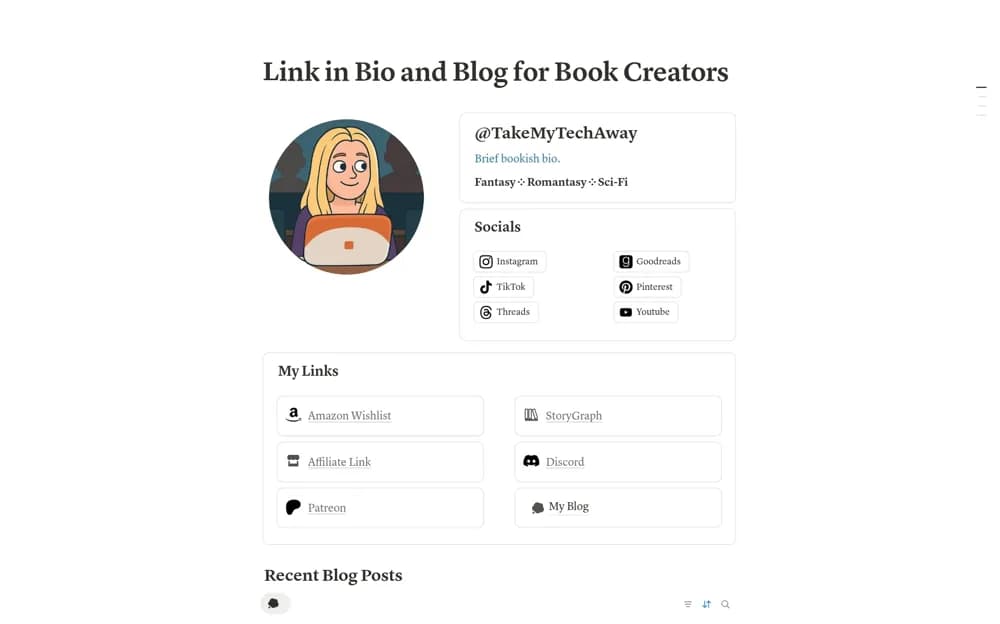
A book-creator site combining an introduction, social and shop links, and a tagged blog for reviews or discussion.
What’s included
- About Me section
- Social, affiliate, shop, and community links
- A built-in blog with preset content tags
How to use it in practice
Choose a clear introduction and a few useful destinations for visitors. Add an original review and test the blog tags, then check the public page on mobile. Review sharing settings and make any relevant commercial relationships clear where you use affiliate links.
Set it up in your workspace
- Open the original Notion Marketplace listing and add the template to your chosen workspace while signed in. Keep its example records until you understand how the pages connect.
- Choose a clear introduction and a few useful destinations for visitors.
- Try one complete example before adding a large backlog. Check that its views and any calculations show what you expect, then replace the sample content with your own.
Who it suits and what to consider
Book reviewers and reading-content creators publishing a small personal hub. Publishing and custom-domain options depend on the current Notion plan and site settings.