About Publishing on Substack
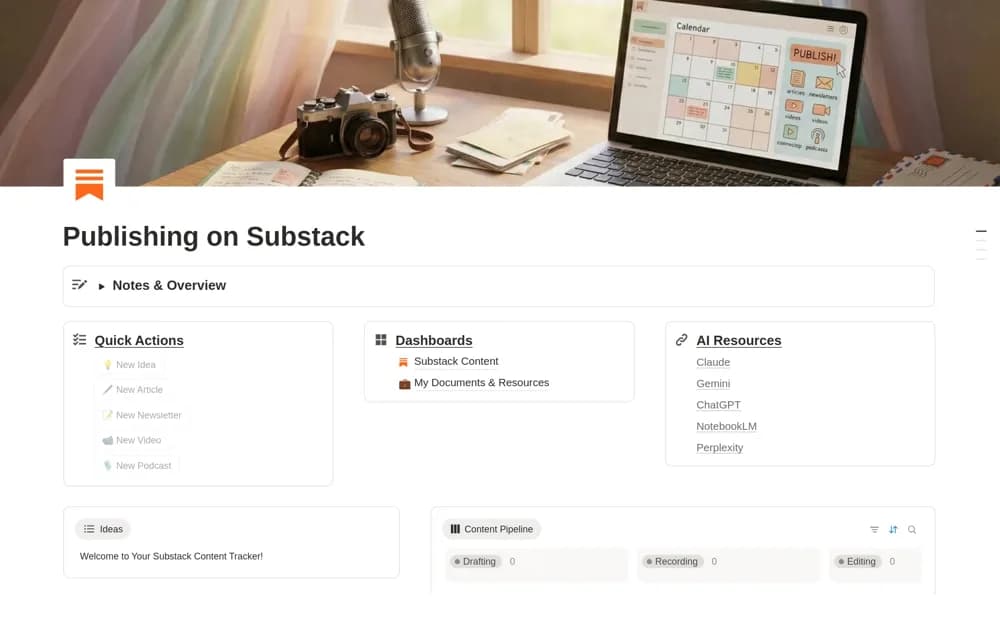
A Substack planning dashboard for ideas, articles, newsletters, recordings, supporting resources, and publication tracking.
What’s included
- Quick-action buttons for ideas and content records
- Content pipeline and resource views
- Publication and performance organization with optional tool links
How to use it in practice
Capture an article idea, add its intended reader and next production step, then test the pipeline through publication. Keep the final Substack link with the record and maintain performance figures consistently. Use optional external tools only where they help your own editorial process.
Set it up in your workspace
- Open the original Notion Marketplace listing and add the template to your chosen workspace while signed in. Keep its example records until you understand how the pages connect.
- Capture an article idea, add its intended reader and next production step, then test the pipeline through publication.
- Try one complete example before adding a large backlog. Check that its views and any calculations show what you expect, then replace the sample content with your own.
Who it suits and what to consider
Substack creators organizing production before publishing through their account. The listing describes a planning system, without confirming direct publishing or analytics synchronization with Substack.