About Minimal Weekly Planner
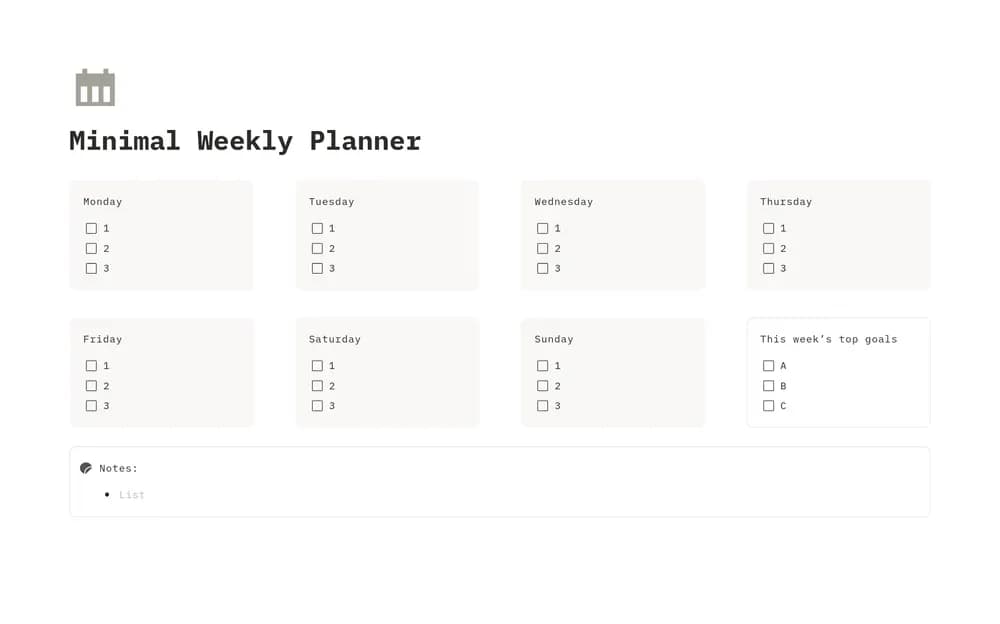
Lay out the week in Notion with seven clean day cards holding checkable to-dos, a short list of top weekly goals, and a quick notes area.
What’s included
- Seven daily cards from Monday to Sunday
- Checkable to-do lists on each card
- This Week’s Top Goals section
- Quick notes and brain-dump space
How to use it in practice
On Sunday or Monday morning, write two or three goals for the week. Spread your known tasks across the day cards and leave some days lighter. Use the notes area for stray ideas during the week, and on the last day clear completed items and carry forward anything unfinished.
Set it up in your workspace
- Open the original Notion Marketplace listing and add the template to your chosen workspace while signed in. Keep its example records until you understand how the pages connect.
- On Sunday or Monday morning, write two or three goals for the week.
- Try one complete example before adding a large backlog. Check that its views and any calculations show what you expect, then replace the sample content with your own.
Who it suits and what to consider
People who find feature-heavy planners distracting and want a weekly page they can fill in minutes. No recurring tasks, due-date properties, or history views are described, so each week is reset by hand. It suits light planning rather than project tracking.