About Non-Profit Leadership Dashboard
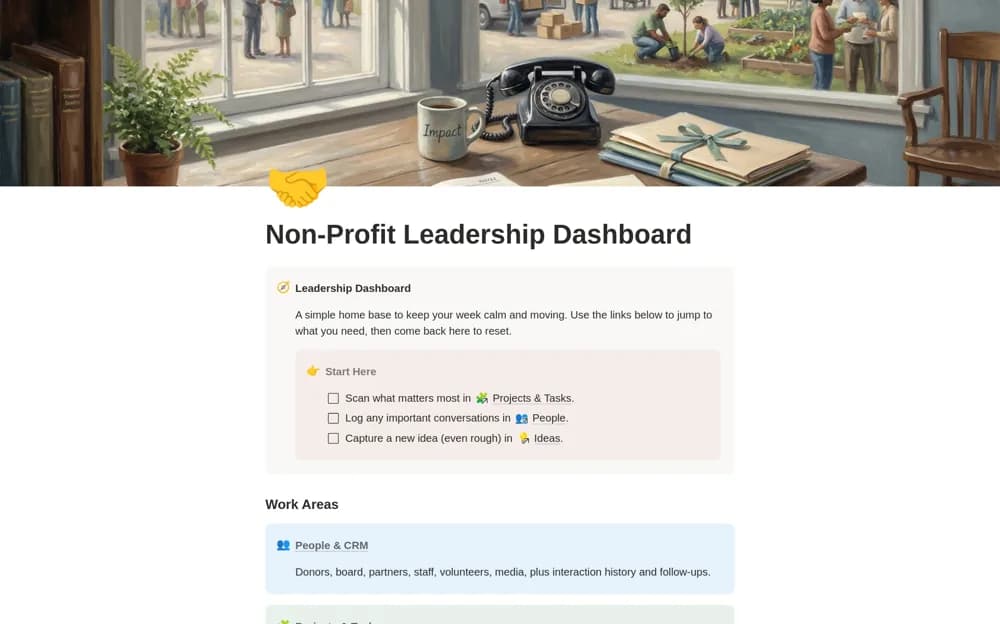
A nonprofit executive dashboard connecting people, programs, projects, tasks, ideas, speeches, story assets, and personnel, with donor cultivation and board-engagement context.
What’s included
- People and personnel records
- Projects, tasks, ideas, and assets
- Donor cultivation, board engagement, and speech preparation
How to use it in practice
Follow the demo before adding one current program and its important relationships. Connect the next board or donor conversation to the relevant project and story material. Keep a short leadership review routine so commitments are updated by their owners rather than depending on the executive director’s memory.
Set it up in your workspace
- Open the original Notion Marketplace listing and add the template to your chosen workspace while signed in. Keep its example records until you understand how the pages connect.
- Follow the demo before adding one current program and its important relationships.
- Try one complete example before adding a large backlog. Check that its views and any calculations show what you expect, then replace the sample content with your own.
Who it suits and what to consider
Nonprofit leaders balancing relationships, delivery work, and public communication across the organization. The dashboard brings many sensitive relationships together. Review access carefully, particularly for personnel records, donor notes, and material used in public storytelling.