About Notion Goal Tracker
A long-term goal can disappear behind daily tasks. This tracker offers a place to keep the outcome in view and return to it at a regular interval. Its progress calculation is worth checking against what you actually consider meaningful progress.
What’s included
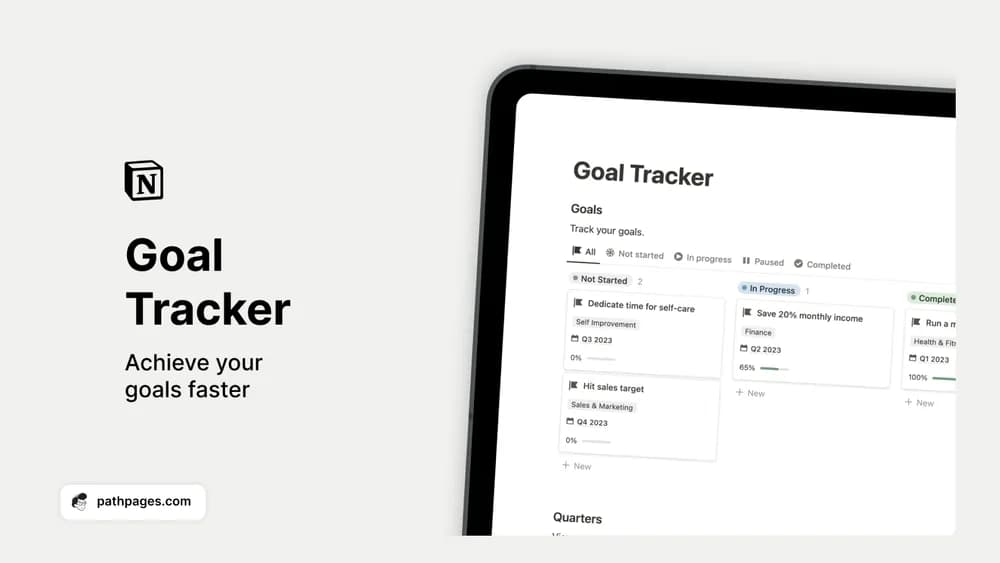
- Goal records organized by life area
- Progress stages including not started, in progress, and completed
- Timelines and notes for keeping the intended outcome visible
How to use it in practice
Write a finish condition for each goal before assigning a date. For example, preparing a portfolio can mean publishing three case studies, with the next action being an outline for the first one. Review progress against that outcome weekly. If a goal has no next action, use the review to decide whether to clarify it, pause it, or remove it.
Set it up in your workspace
- Get the template link from PathPages. Its free-template pages ask you to create an account for access. Open the delivered Notion page and duplicate it into your workspace.
- Write one specific outcome for the quarter. Add a first action and choose a date to review it.
- Try one complete example before adding a large backlog. Check that its views and any calculations show what you expect, then replace the sample content with your own.
Who it suits and what to consider
People who want to connect plans with visible progress. It suits personal and work goals that benefit from a clear status. A visual stage is a summary you maintain; it is not evidence that the underlying work has been completed.