About Notion Meeting OS
Meeting OS is presented with a workflow involving Calendly and Google Calendar. Read the creator’s current setup requirements before expecting those tools to work together. The organizational benefit is having the meeting’s context and follow-up in a dependable place.
What’s included
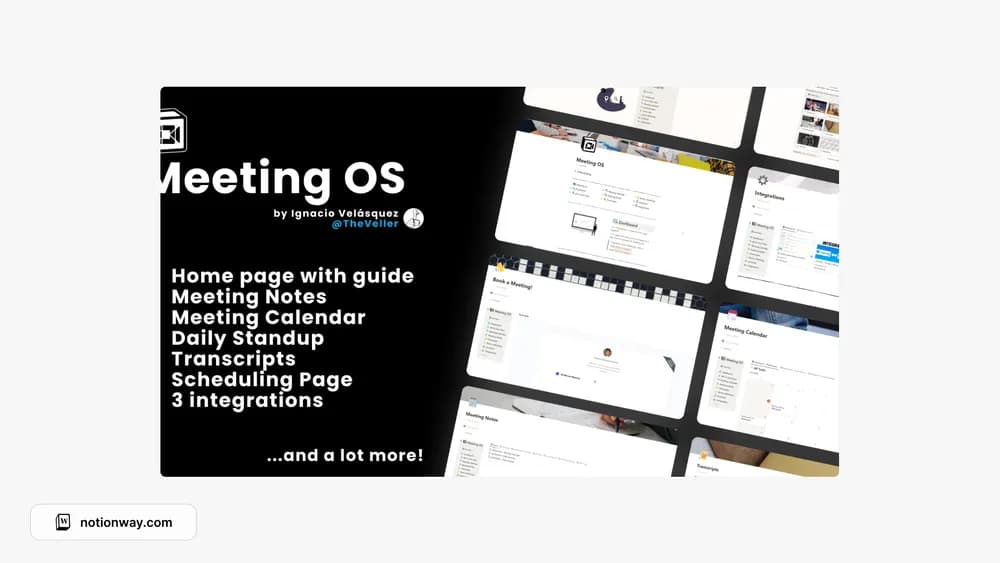
- Meeting calendar, meeting notes, transcripts, and a scheduling page
- Nine predefined meeting-note templates
- Setup instructions involving Calendly, Google Calendar, Notion, and Tactiq
How to use it in practice
Test the meeting workflow with a non-sensitive appointment. Check whether the calendar entry, notes, and transcript arrive where you expect, then record decisions and next actions in the meeting page. Choose one note template for a recurring meeting before creating several variations. Keep the action summary easy to find after the transcript grows.
Set it up in your workspace
- Follow the original creator’s checkout or access instructions to obtain the Notion page. Open that page while signed in, then duplicate it into the workspace you want to use.
- Check the integration instructions and account requirements. Try the setup with one non-sensitive test meeting first.
- Try one complete example before adding a large backlog. Check that its views and any calculations show what you expect, then replace the sample content with your own.
Who it suits and what to consider
People who want meeting records close to scheduling context. This layout involves external accounts and integration setup. Check current permissions, pricing, and connector behavior for each service before assuming the template alone provides automatic scheduling or transcription.