About Events Calendar
An events calendar is useful when an entry includes enough context to act on it. This template comes from Notion. Decide which calendar is the source of truth for appointments, then use the Notion page to hold the planning details that would otherwise live elsewhere.
What’s included
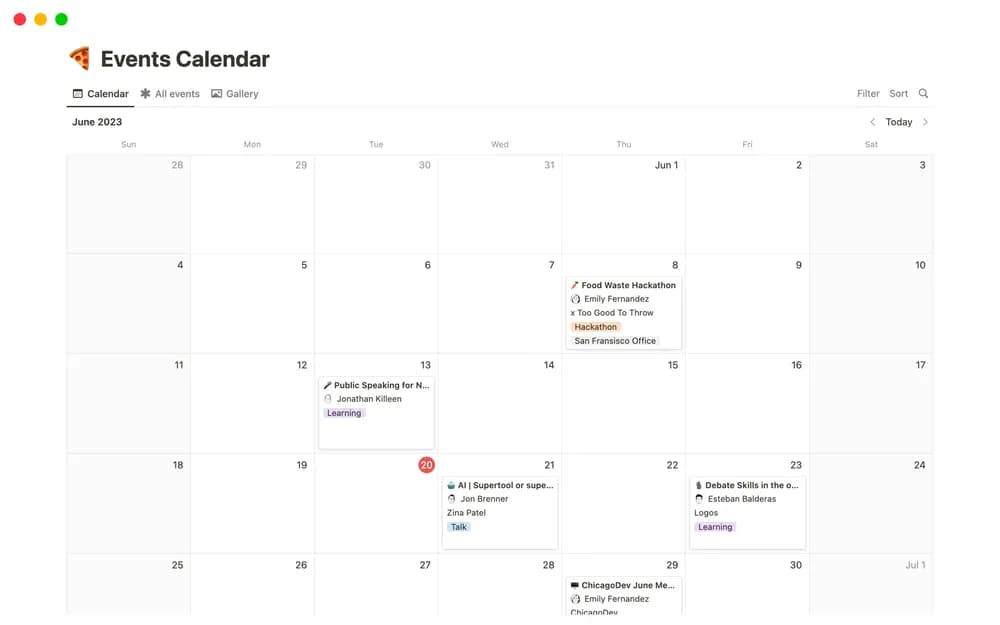
- Event records with dates and locations
- RSVP context
- A place for practical event details alongside the calendar
How to use it in practice
Add upcoming events with the information someone needs before attending. Check dates against the calendar used for invitations and keep the location or joining link current. Use the Notion page for planning notes and supporting material. Review busy weeks together so preparation work is visible before the event date arrives.
Set it up in your workspace
- Open the original Notion Marketplace listing and add the template to your chosen workspace while signed in. Keep its example records until you understand how the pages connect.
- Add a few upcoming events with their practical details. Check how the view looks across a busy week.
- Try one complete example before adding a large backlog. Check that its views and any calculations show what you expect, then replace the sample content with your own.
Who it suits and what to consider
Teams and individuals coordinating upcoming events. A useful event-information home. Decide which calendar is authoritative for invitations and appointment changes.