About Software Development Retrospective
A retrospective becomes useful when the team leaves with a small change it can actually try. This template offers a structure for the conversation. Keep observations specific, make room for different perspectives, and assign an owner to any agreed action.
What’s included
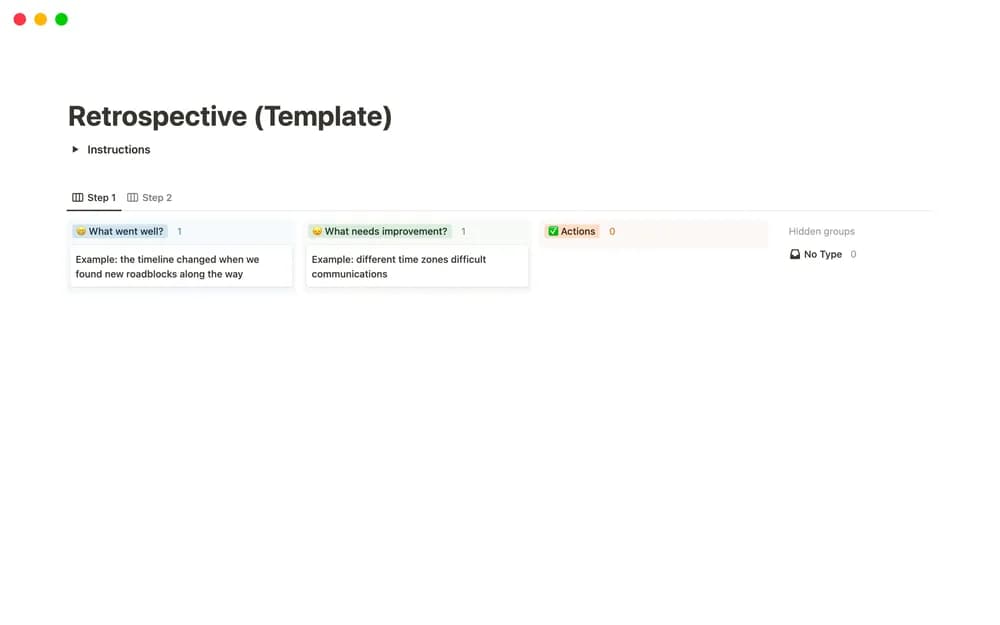
- A two-step retrospective workflow
- Initial voting followed by aggregated agreement and discussion counts
- Cards that allow inspection of the people behind votes
How to use it in practice
Collect specific observations about one sprint or release before discussing them. Use the first voting step to surface themes, then discuss a small number of findings with the strongest relevance. Choose one improvement with an owner and a review date. Revisit that action in the next cycle so the retrospective produces a change the team can assess.
Set it up in your workspace
- Open the original Notion Marketplace listing and add the template to your chosen workspace while signed in. Keep its example records until you understand how the pages connect.
- Review one recent sprint or release. Choose one improvement to test during the next cycle.
- Try one complete example before adding a large backlog. Check that its views and any calculations show what you expect, then replace the sample content with your own.
Who it suits and what to consider
Software teams reviewing a recent delivery cycle. A fit for structured team reflection. The described voting workflow allows voter inspection, so do not present it to participants as an anonymous survey.