About Office Organizer
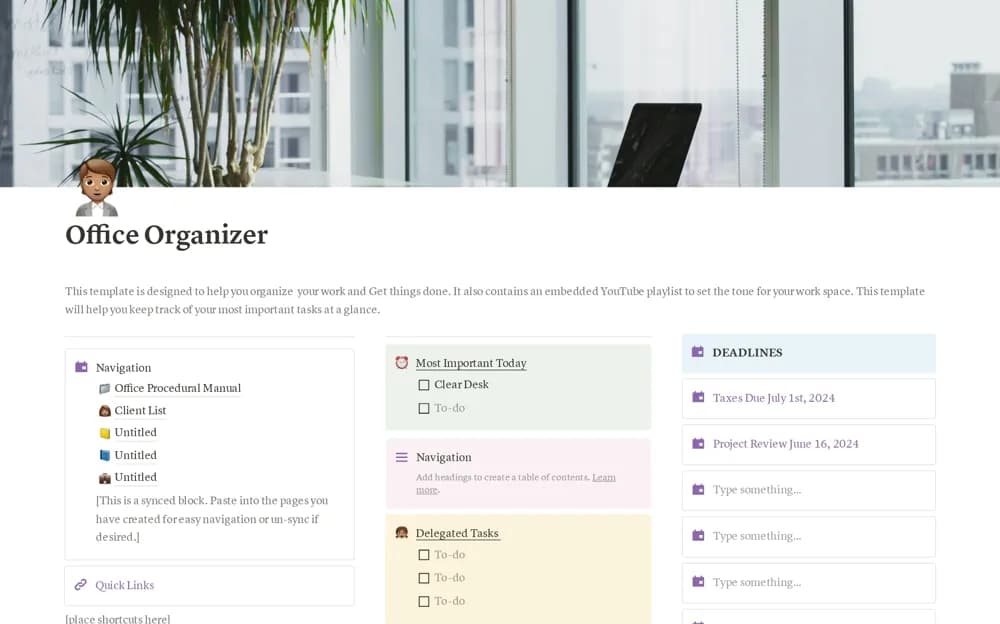
An office dashboard for important tasks, delegated work, deadlines, and quick links to supporting pages.
What’s included
- Deadline and priority organization
- Delegated-task visibility
- Page-navigation area and an editable embedded playlist
How to use it in practice
Add a short set of current responsibilities and clarify the owner of delegated work. Link the documents you use repeatedly, then check the dashboard at the start and end of a workday. Remove decorative or unused sections if they make the next action harder to see.
Set it up in your workspace
- Open the original Notion Marketplace listing and add the template to your chosen workspace while signed in. Keep its example records until you understand how the pages connect.
- Add a short set of current responsibilities and clarify the owner of delegated work.
- Try one complete example before adding a large backlog. Check that its views and any calculations show what you expect, then replace the sample content with your own.
Who it suits and what to consider
Office workers who want a small daily task and navigation hub. The source describes a task overview, without establishing employee monitoring or automated assignment notifications.