About Partnerships and Integrations Pipeline
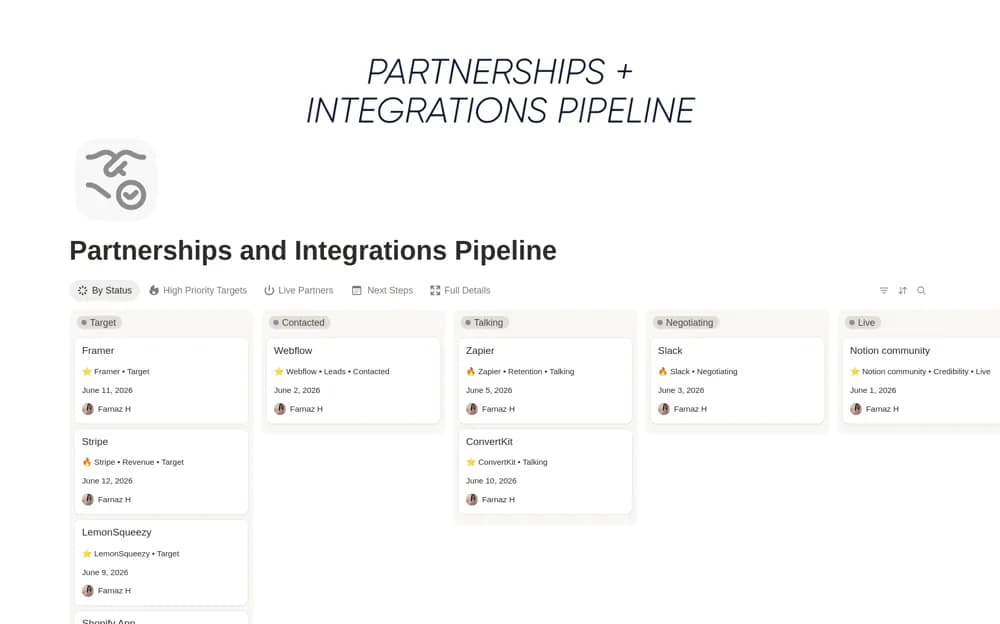
Track partner conversations and collaboration deals in Notion with pipeline stages, responsible owners, notes, and explicit next steps.
What’s included
- Partner and integration initiative database
- Prospecting-to-live pipeline views
- Owner and next-step fields
- Weekly pipeline review overview
How to use it in practice
Add one active partnership and describe what both sides are trying to achieve. Assign an owner and the next specific action, then place the record in the stage supported by the conversation so far. Review stalled opportunities weekly and update the record after each meaningful contact.
Set it up in your workspace
- Open the original Notion Marketplace listing and add the template to your chosen workspace while signed in. Keep its example records until you understand how the pages connect.
- Add one active partnership and describe what both sides are trying to achieve.
- Try one complete example before adding a large backlog. Check that its views and any calculations show what you expect, then replace the sample content with your own.
Who it suits and what to consider
Business development and partnerships teams coordinating conversations from an initial lead to launch. Integration here is tracked as a business initiative. The template does not provide working software connectors or automatically synchronize partner systems.