About Podcast Manager OS | Episodes, Guests & Promotion
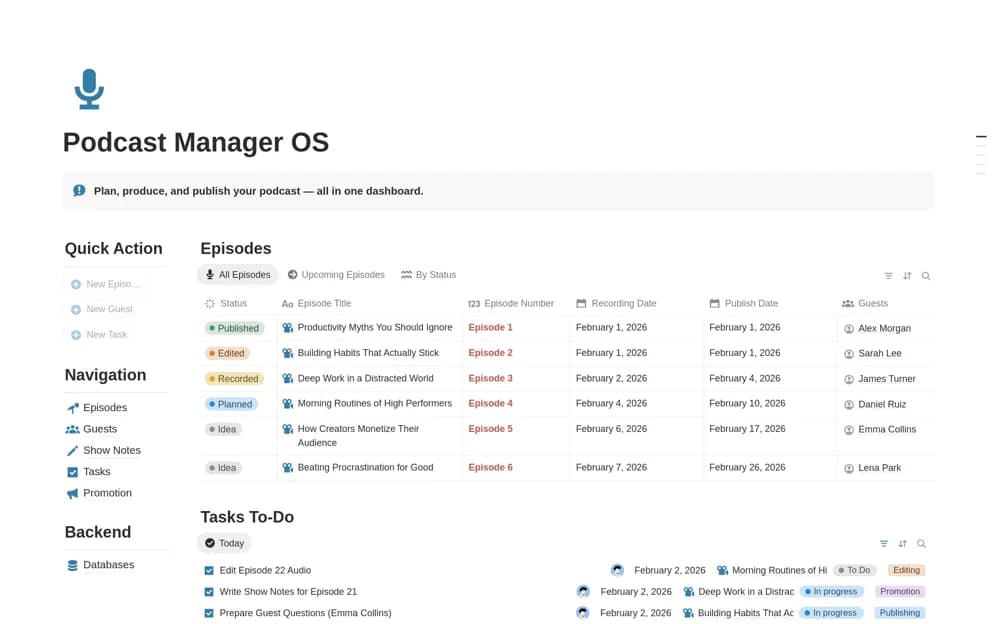
A podcast workflow linking episodes, guests, show notes, editing tasks, release dates, and promotion status.
What’s included
- Episode planning from idea to publication
- Guest and collaboration records
- Show notes, production tasks, and promotion organization
How to use it in practice
Create an episode and connect the guest, preparation tasks, and planned release. Confirm the interview arrangements separately, then use the workspace to check editing and show-note readiness. Update publication and promotion records after release so the next production review reflects what actually happened.
Set it up in your workspace
- Open the original Notion Marketplace listing and add the template to your chosen workspace while signed in. Keep its example records until you understand how the pages connect.
- Create an episode and connect the guest, preparation tasks, and planned release.
- Try one complete example before adding a large backlog. Check that its views and any calculations show what you expect, then replace the sample content with your own.
Who it suits and what to consider
Podcasters coordinating interviews and recurring production work. The source does not establish recording, podcast hosting, or automatic guest scheduling.