About Productivity Dashboard + Calendar
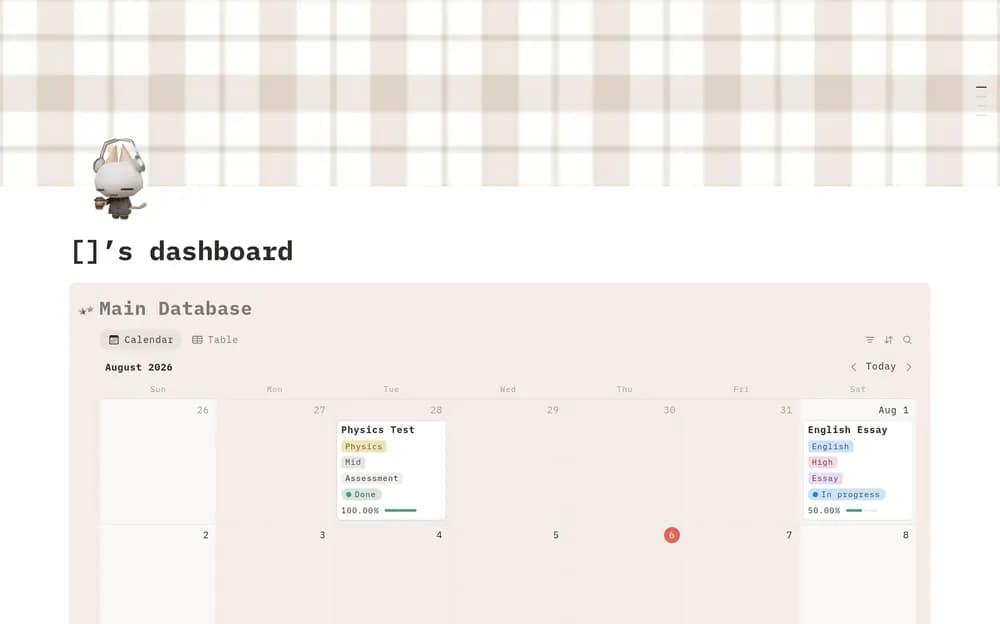
Manage schoolwork from one Notion dashboard with a task database by class, priority, and assignment type, plus subtasks and completion rollups.
What’s included
- Task database with class, priority, assignment type, status, and due date
- Subtasks with a completion-percentage rollup
- Directory links and quick notes sections
- Pomodoro tracker
- Editable school schedule page
How to use it in practice
Enter your classes and fill in the school schedule for the current term. Add every assignment due in the next week, breaking larger ones into subtasks so the percentage rollup has something to measure. Use the Pomodoro tracker during study sessions, and at the end of the week check which classes still have open subtasks.
Set it up in your workspace
- Open the original Notion Marketplace listing and add the template to your chosen workspace while signed in. Keep its example records until you understand how the pages connect.
- Enter your classes and fill in the school schedule for the current term.
- Try one complete example before adding a large backlog. Check that its views and any calculations show what you expect, then replace the sample content with your own.
Who it suits and what to consider
Students who want detailed assignment tracking alongside a class schedule and a focus timer. The creator built it for their own coursework, so class categories and assignment types will need editing to match your program. Tasks and schedule entries are entered manually.