About Student Hub
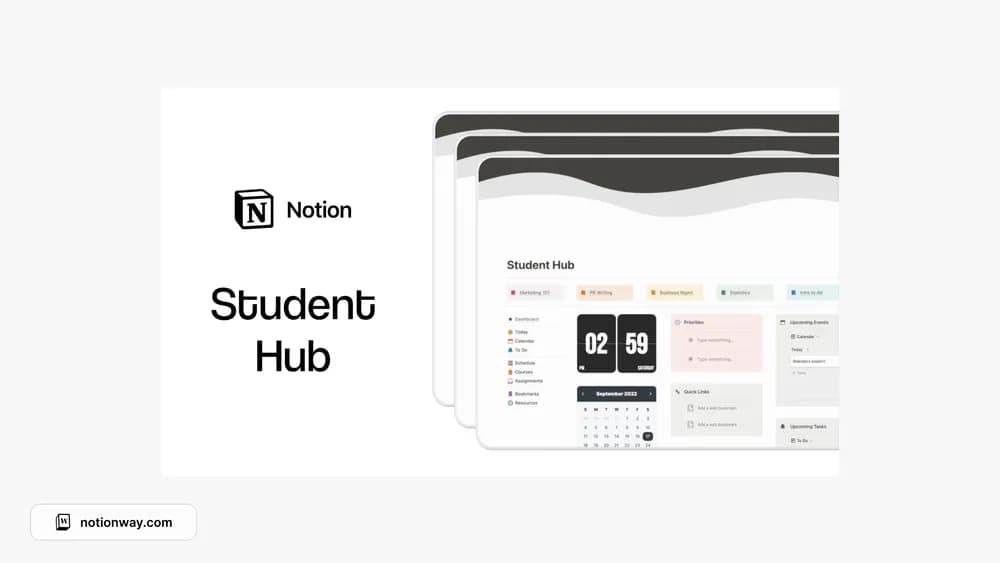
A student hub can be a helpful starting point when coursework is spread across many pages. This listing comes from Made by Chichi. Review the preview for the sections you actually need, then try using the hub for one ordinary study day before expanding it.
What’s included
- An overview dashboard, individual course pages, and a course schedule
- Assignment and task management with deadline countdowns
- Calendar planning, bookmarks, files, and resource organization in the listed core workspace
How to use it in practice
Try the core course and assignment pages before adopting the whole hub. Add the next few deadlines, attach the relevant files, and check whether the calendar gives you enough notice to begin. The creator separates several Pro-only features from the main listing, so compare the version you receive with the section you expect to use.
Set it up in your workspace
- Follow the original creator’s checkout or access instructions to obtain the Notion page. Open that page while signed in, then duplicate it into the workspace you want to use.
- Add one active course and a few upcoming tasks. Keep the links you need most on the starting page.
- Try one complete example before adding a large backlog. Check that its views and any calculations show what you expect, then replace the sample content with your own.
Who it suits and what to consider
Students looking for a ready-made study home. The public description marks Today and This Week dashboards, summary insights, monthly goals, and the expanded resource collection as Pro features. Do not assume those are part of the free copy.