About Profit-Loss Statement
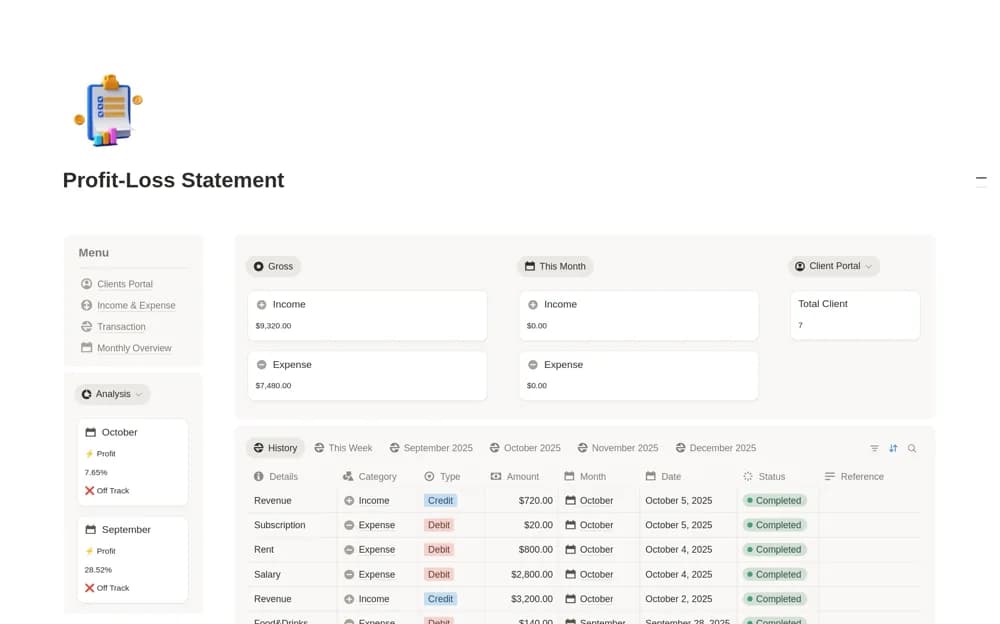
A business finance workspace linking clients, income and expenses, transactions, and a monthly dashboard showing net profit, client revenue, and spending categories.
What’s included
- Clients portal and payment context
- Income, expense, and transaction records
- Monthly income, expense, and net-profit overview
How to use it in practice
Add one client’s payment and the costs associated with that work. Check the monthly view against the underlying transactions before expanding the history. Keep payment status accurate and review category assignments so a change in profit can be traced to specific income or spending rather than an unexplained total.
Set it up in your workspace
- Open the original Notion Marketplace listing and add the template to your chosen workspace while signed in. Keep its example records until you understand how the pages connect.
- Add one client’s payment and the costs associated with that work.
- Try one complete example before adding a large backlog. Check that its views and any calculations show what you expect, then replace the sample content with your own.
Who it suits and what to consider
Freelancers and small businesses reviewing financial activity with its client context attached. The listing’s dashboard depends on recorded inputs. Confirm the accounting basis and reporting needs with your existing records; a Notion view is not an automatic bank feed.