About Resume / CV
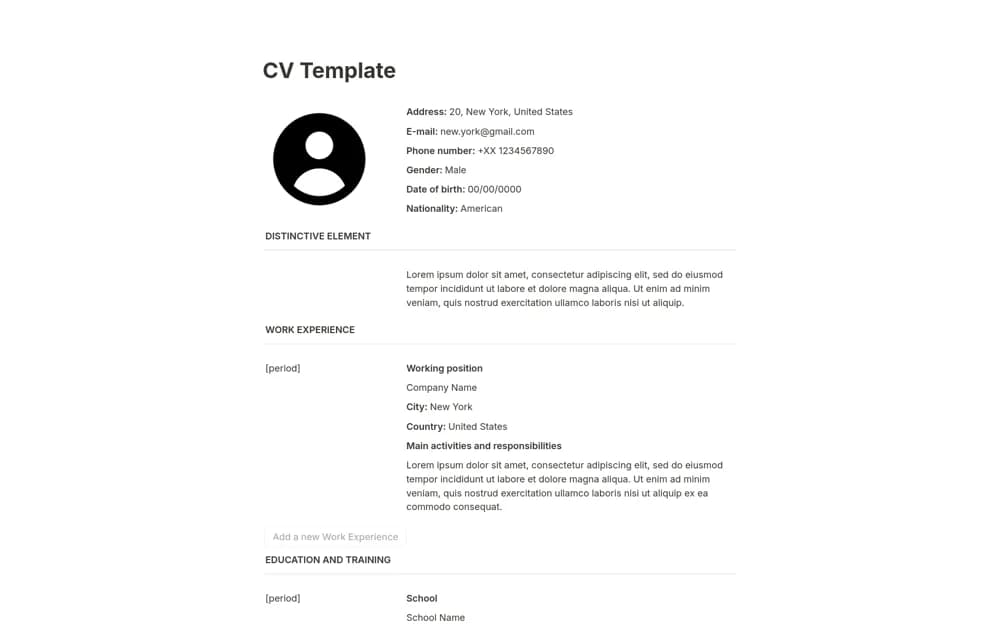
A straightforward resume builder with section buttons for experience, education, projects, qualifications, and personal details.
What’s included
- Personal information and a distinctive-introduction section
- Experience, education, projects, and certifications
- Section-generation buttons and a PDF export workflow
How to use it in practice
Select evidence relevant to the role and write concise achievement statements. Check dates and links, then export a PDF and inspect page breaks and readability. Keep unnecessary sensitive details out and follow the employer’s requested application format.
Set it up in your workspace
- Open the original Notion Marketplace listing and add the template to your chosen workspace while signed in. Keep its example records until you understand how the pages connect.
- Select evidence relevant to the role and write concise achievement statements.
- Try one complete example before adding a large backlog. Check that its views and any calculations show what you expect, then replace the sample content with your own.
Who it suits and what to consider
Applicants preparing a clear editable CV in Notion. A readable Notion page does not guarantee that every exported document suits an application system.