About SaaS Knowledge Base & Documentation Hub
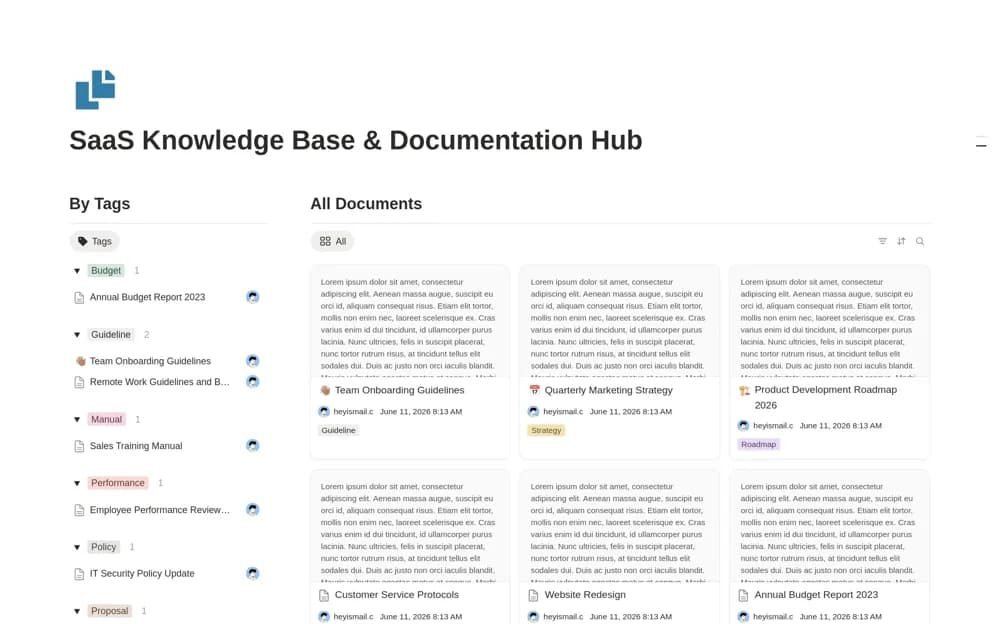
Keep SaaS documentation and internal knowledge in Notion with a central document database, topic tags, filtered views, and resource organization.
What’s included
- Central documentation database
- Department, topic, and project tags
- Filtered knowledge views
- Onboarding and resource-library organization
How to use it in practice
Add one product reference and one internal procedure, labeling the intended audience clearly. Organize them by the tags your team would actually search for, then ask a colleague to find the document without guidance. Review permissions before sharing product information with customers from a mixed internal library.
Set it up in your workspace
- Open the original Notion Marketplace listing and add the template to your chosen workspace while signed in. Keep its example records until you understand how the pages connect.
- Add one product reference and one internal procedure, labeling the intended audience clearly.
- Try one complete example before adding a large backlog. Check that its views and any calculations show what you expect, then replace the sample content with your own.
Who it suits and what to consider
SaaS teams organizing product references alongside internal processes and onboarding material. The creator describes a broad company knowledge hub. Public customer navigation and automatic product-change updates are not documented.