About Sprint Planning OS
Sprint planning works when the team agrees on a realistic goal and a manageable set of work. This template gives that process a Notion home. Check how it handles the backlog, active work, and review before expecting it to replace an existing development tool.
What’s included
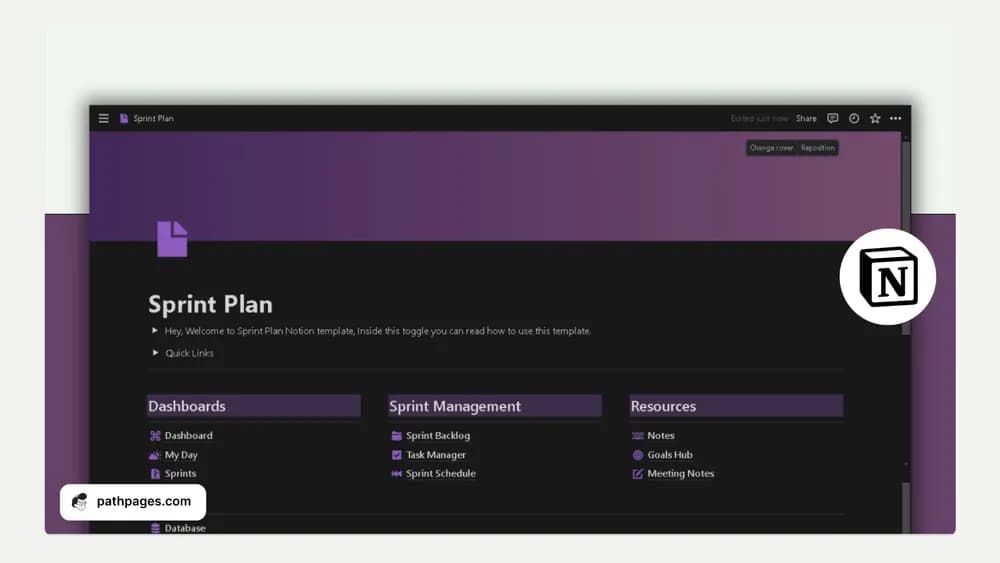
- Sprint backlog, task manager, and sprint schedule
- Goals, notes, meeting notes, and a central dashboard
- Prebuilt filters for recent work, deadlines, and daily priorities
How to use it in practice
Define a sprint goal before bringing tasks into the active backlog. Check that each selected item supports that goal and has a clear owner and completion condition. Use the daily view to focus discussion on progress and blockers. At the end of the sprint, review unfinished work deliberately and keep meeting decisions connected to the next planning cycle.
Set it up in your workspace
- Follow the original creator’s checkout or access instructions to obtain the Notion page. Open that page while signed in, then duplicate it into the workspace you want to use.
- Plan one small sprint around a clear outcome. Compare the chosen work with the team’s actual available time.
- Try one complete example before adding a large backlog. Check that its views and any calculations show what you expect, then replace the sample content with your own.
Who it suits and what to consider
Small teams working in short delivery cycles. A useful structure for teams or solo workers using short delivery cycles. Agree on stage meanings and ownership before importing a large backlog so the dashboard reflects a shared process.