About Student Attendance Tracker
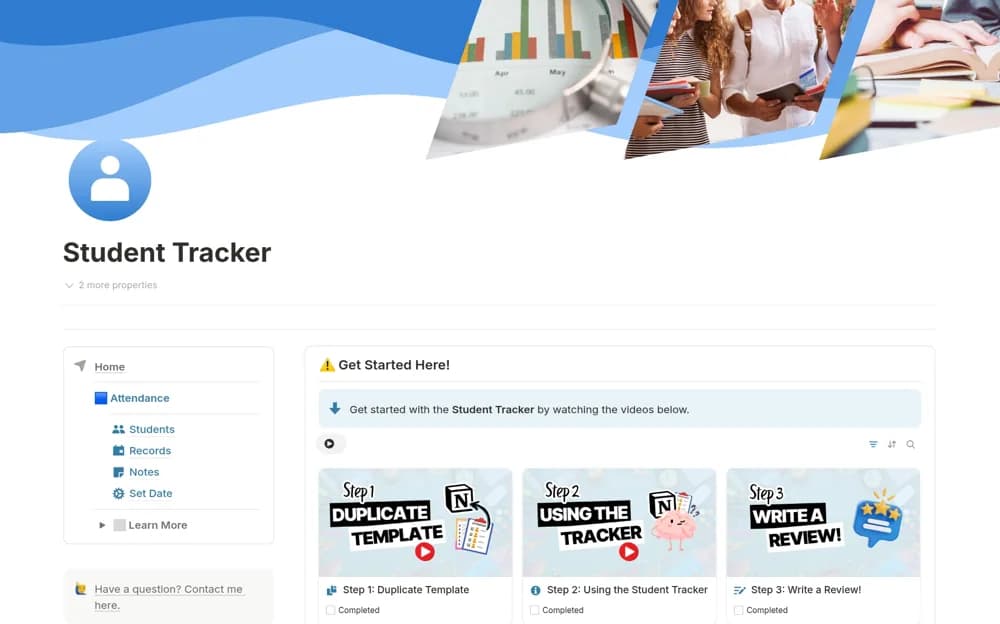
A focused classroom attendance tool for marking students present or absent, offered as a small standalone part of a broader teacher-planning range.
What’s included
- Student attendance records
- Present and absent marking
- A focused classroom register layout
How to use it in practice
Add a small sample class and try marking attendance at the pace you would use during a real lesson. Decide how you will distinguish different dates before entering a term of records. Review the result immediately to make sure each student’s mark is recorded correctly.
Set it up in your workspace
- Open the original Notion Marketplace listing and add the template to your chosen workspace while signed in. Keep its example records until you understand how the pages connect.
- Add a small sample class and try marking attendance at the pace you would use during a real lesson.
- Try one complete example before adding a large backlog. Check that its views and any calculations show what you expect, then replace the sample content with your own.
Who it suits and what to consider
Teachers who need a simple attendance routine without adopting a larger workspace. The listing confirms a simple attendance tool and promotes a separate complete planner. It does not describe formal reporting exports or school-system synchronization.