About Tracker for Teachers & Coaches
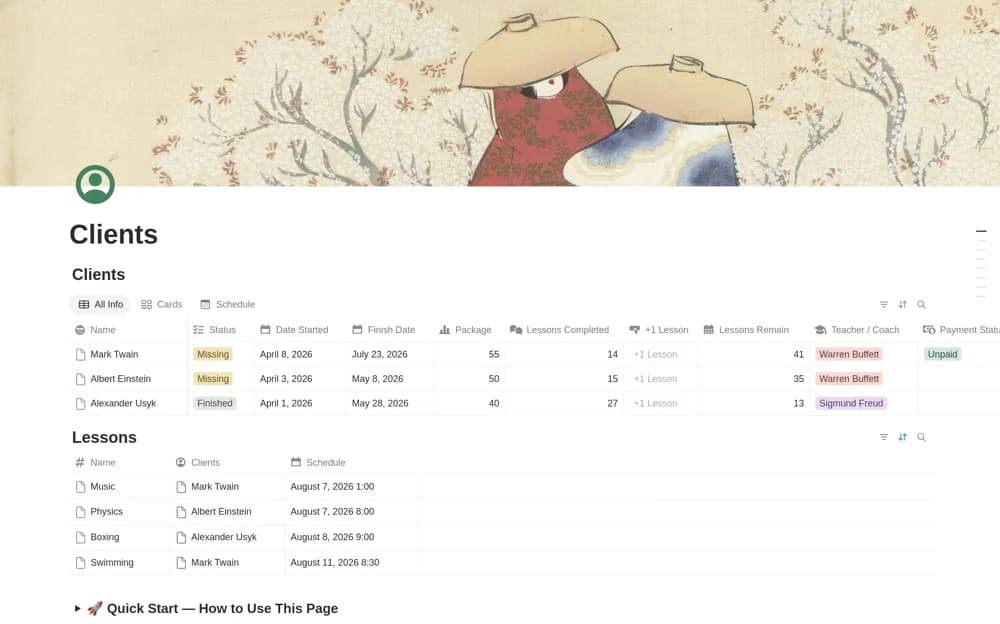
A client and lesson tracker connecting packages, payment status, scheduled lessons, a one-click lesson counter, progress, and calculated remaining sessions.
What’s included
- Clients and Lessons databases
- Lesson calendar and one-click counter
- Package, payment, progress, and remaining-session records
How to use it in practice
Set up a sample client with an agreed session package and record one completed lesson. Check the counter and remaining-session result before using the button again. Decide how cancellations or replacement lessons should be handled so the package balance reflects your actual agreement rather than every calendar entry.
Set it up in your workspace
- Open the original Notion Marketplace listing and add the template to your chosen workspace while signed in. Keep its example records until you understand how the pages connect.
- Set up a sample client with an agreed session package and record one completed lesson.
- Try one complete example before adding a large backlog. Check that its views and any calculations show what you expect, then replace the sample content with your own.
Who it suits and what to consider
Tutors and coaches who work through a package of lessons or appointments. The counter follows the configured records and actions; it does not verify attendance or payment. Review client access and keep private notes separate from shared scheduling information.