About Transcript to Client Minutes
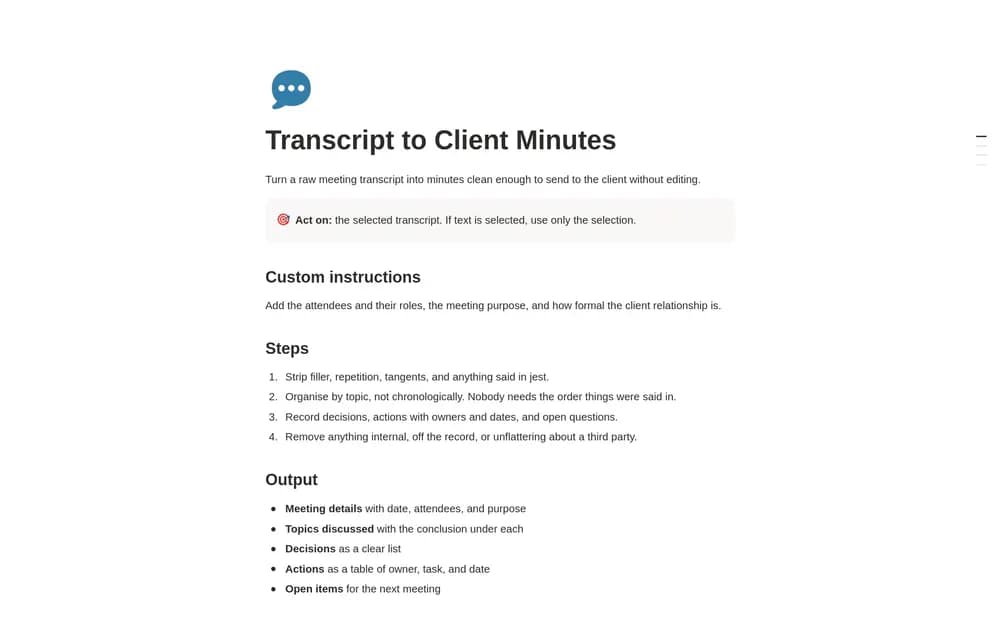
Convert raw client call transcripts into topic-organized minutes with decisions, owned actions, and open items using a Notion AI skill.
What’s included
- Guided steps from raw transcript to sendable minutes
- Fixed structure with meeting details, topics, decisions, an actions table, and open items
- Client-safe filter for internal asides and third-party remarks
- Custom instructions for attendees, purpose, and formality
- Selection-aware input for part or all of a transcript
How to use it in practice
Fill in the custom instructions with the attendees, their roles, and the purpose of one recent call. Run the skill on that transcript and compare the minutes with what you remember being agreed. Check that nothing internal survived the filter, then try it on two more calls this week before sending output unedited.
Set it up in your workspace
- Open the original Notion Marketplace listing and add the template to your chosen workspace while signed in. Keep its example records until you understand how the pages connect.
- Fill in the custom instructions with the attendees, their roles, and the purpose of one recent call.
- Try one complete example before adding a large backlog. Check that its views and any calculations show what you expect, then replace the sample content with your own.
Who it suits and what to consider
Agencies, consultants, account managers, and freelancers who send minutes after recorded client calls. It depends on Notion AI and on transcript quality; despite the goal of sendable output, someone who attended should review attribution and filtering before minutes go out.