About UGC Content & Brief Tracker for Creators
Keep UGC brands, briefs, and content connected in Notion, with weekly deadlines, delivery progress, and flags for briefs at risk.
What’s included
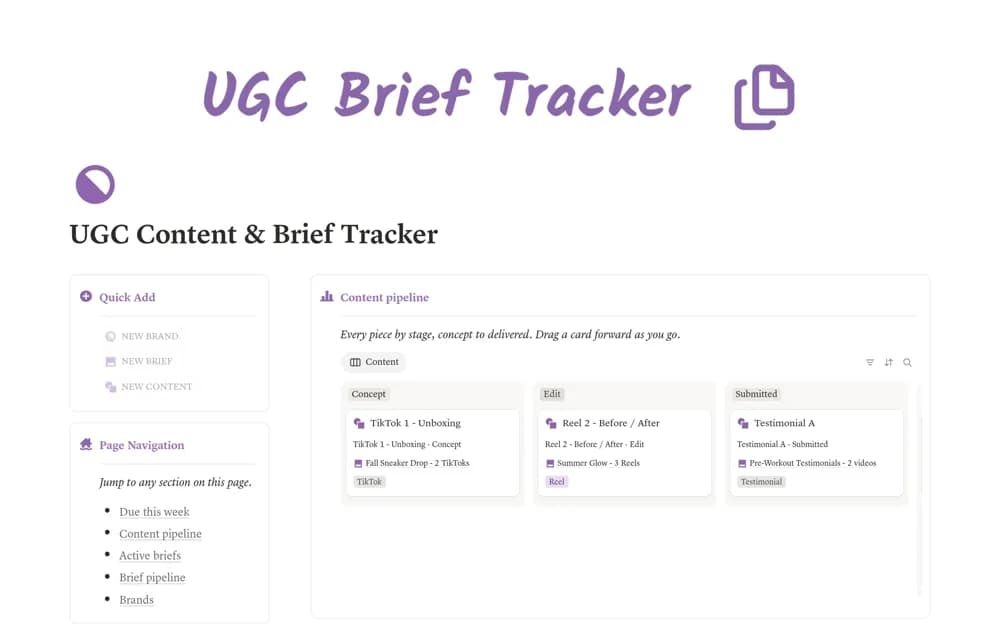
- Linked brand, brief, and content databases
- Content production pipeline
- Due-this-week dashboard
- Brief progress and deadline-risk flags
How to use it in practice
Add one brand and its approved brief, then create a content record for every promised deliverable. Check the weekly view before deciding what to shoot or edit. Update the pipeline after each handoff and compare completed pieces with the brief’s agreed quantity before closing the job.
Set it up in your workspace
- Open the original Notion Marketplace listing and add the template to your chosen workspace while signed in. Keep its example records until you understand how the pages connect.
- Add one brand and its approved brief, then create a content record for every promised deliverable.
- Try one complete example before adding a large backlog. Check that its views and any calculations show what you expect, then replace the sample content with your own.
Who it suits and what to consider
UGC creators managing several brand deliverables and keeping the brief beside production work. This tracks delivery inside Notion. Posting to social channels, collecting payment, and obtaining brand approval need their own agreed process.