About Volunteer Sign-Up & Hours Log — Track Every Shift
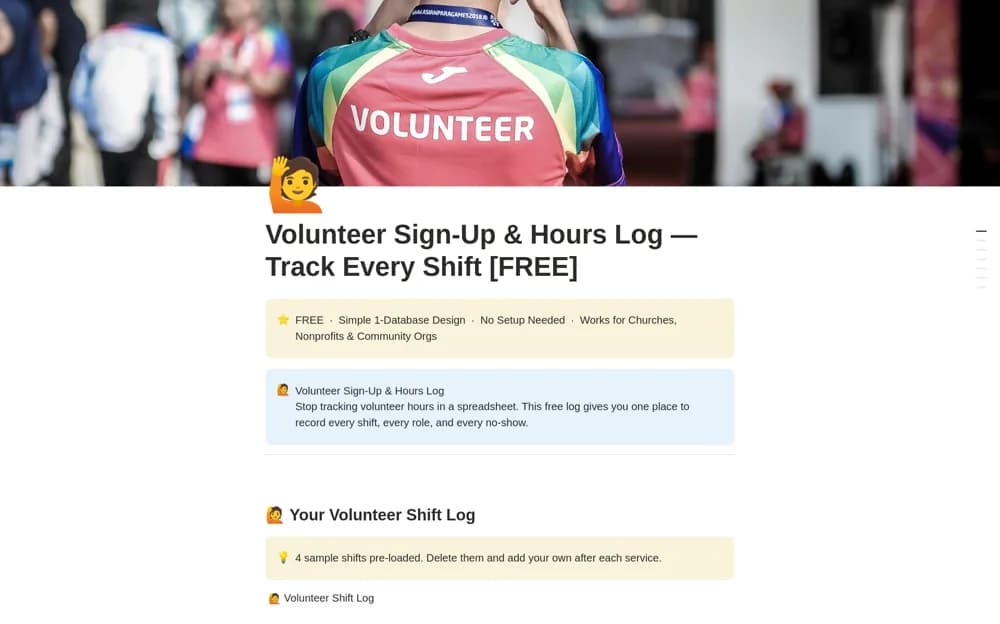
A simple volunteer shift log recording names, roles, dates, hours, and attendance, with role filters and instructions for coordinators.
What’s included
- Volunteer Shift Log
- Role, date, hours, and attendance fields
- Coordinator instructions and role filters
How to use it in practice
Enter a completed shift and check the recorded hours with the volunteer or coordinator. Use consistent role names so a filter shows who covered an activity. Keep corrections and cancellations understandable, then review upcoming coverage separately from historical hours before planning the next event.
Set it up in your workspace
- Open the original Notion Marketplace listing and add the template to your chosen workspace while signed in. Keep its example records until you understand how the pages connect.
- Enter a completed shift and check the recorded hours with the volunteer or coordinator.
- Try one complete example before adding a large backlog. Check that its views and any calculations show what you expect, then replace the sample content with your own.
Who it suits and what to consider
Churches, nonprofits, and community groups that need a small, maintainable hours record. The creator describes a simple log without complex formulas. A larger Nonprofit & Community OS is promoted separately; public signup forms or scheduling features are not confirmed here.