About Web Design Studio OS
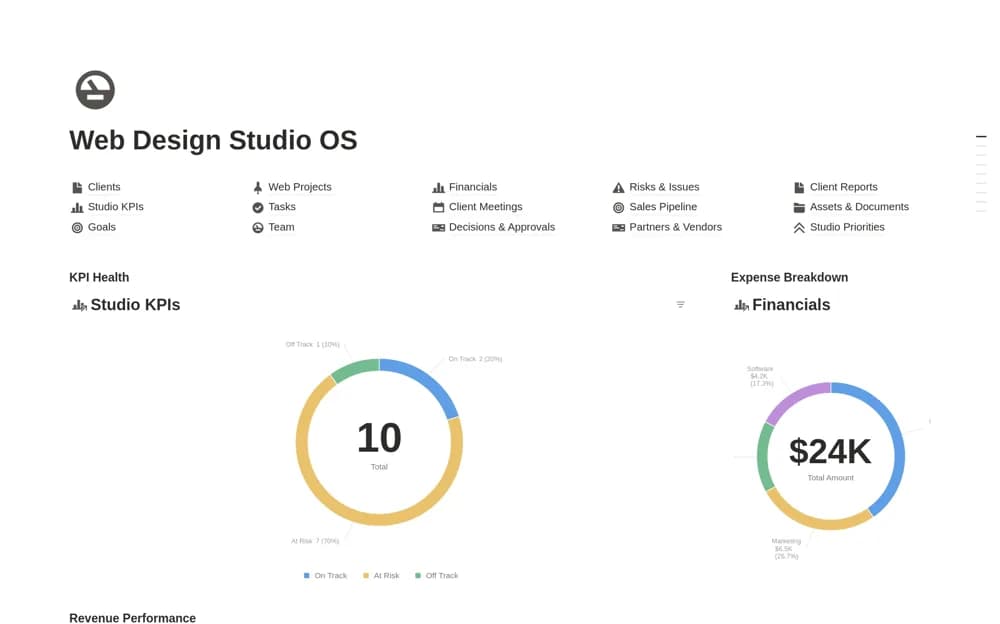
A paid web-studio operating system connecting client delivery, sales, team capacity, finance, meetings, risks, goals, and supporting documents across a broad agency workspace.
What’s included
- Clients, projects, tasks, and sales pipeline
- Team capacity, finances, meetings, and risks
- Goals, KPIs, documents, and client progress reports
How to use it in practice
Start with a live project and the people delivering it before configuring every module. Link the current brief, next approval, and project budget, then check the team-capacity view against actual availability. Add wider sales and reporting routines only once the delivery records stay current without extra chasing.
Set it up in your workspace
- Open the original Notion Marketplace listing and add the template to your chosen workspace while signed in. Keep its example records until you understand how the pages connect.
- Start with a live project and the people delivering it before configuring every module.
- Try one complete example before adding a large backlog. Check that its views and any calculations show what you expect, then replace the sample content with your own.
Who it suits and what to consider
Established web studios and service teams that need shared operating context across several business functions. The scope is broad and the price reflects a full studio system. The source does not establish automatic imports from your finance, design, or time-tracking tools.