About Wedding Planner: Command Center
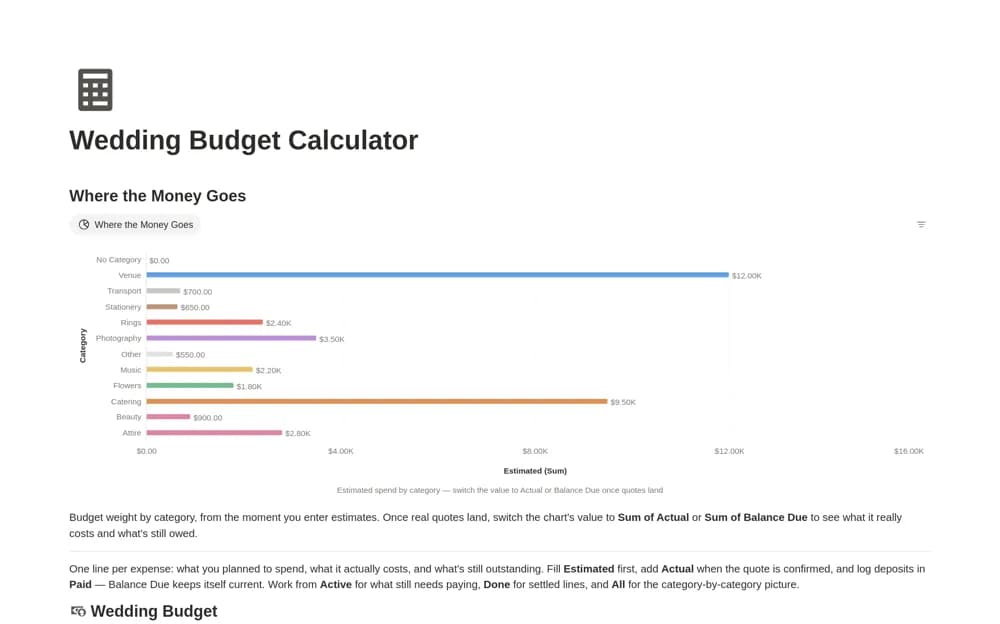
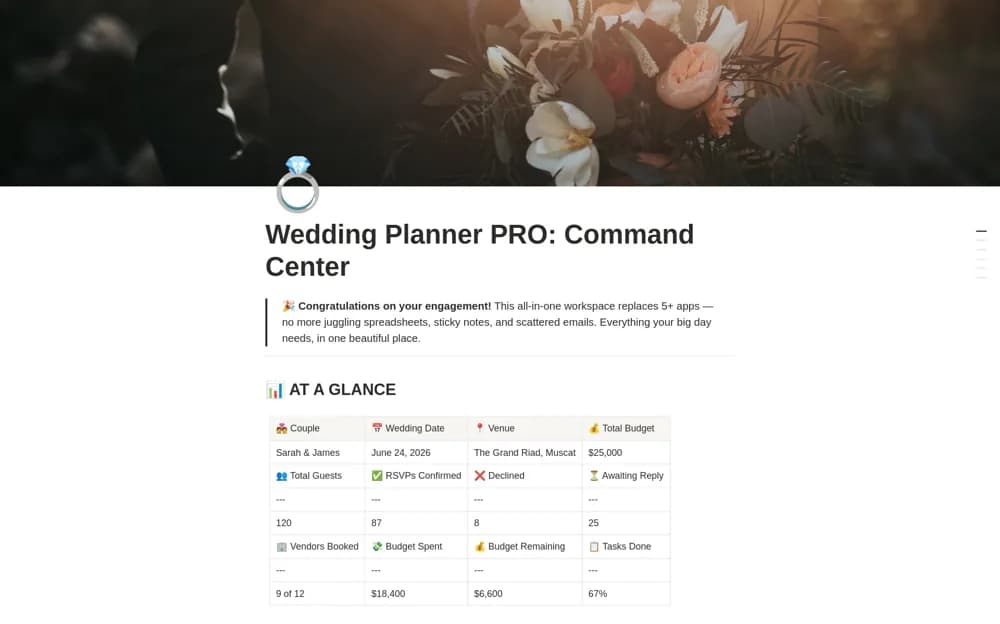
A paid wedding command center combining guest planning, budgets, vendors, a day-of timeline, gifts, and honeymoon preparation, with a dashboard and quick-start guidance.
What’s included
- Command Center and wedding countdown
- Guests, budget, and vendor records
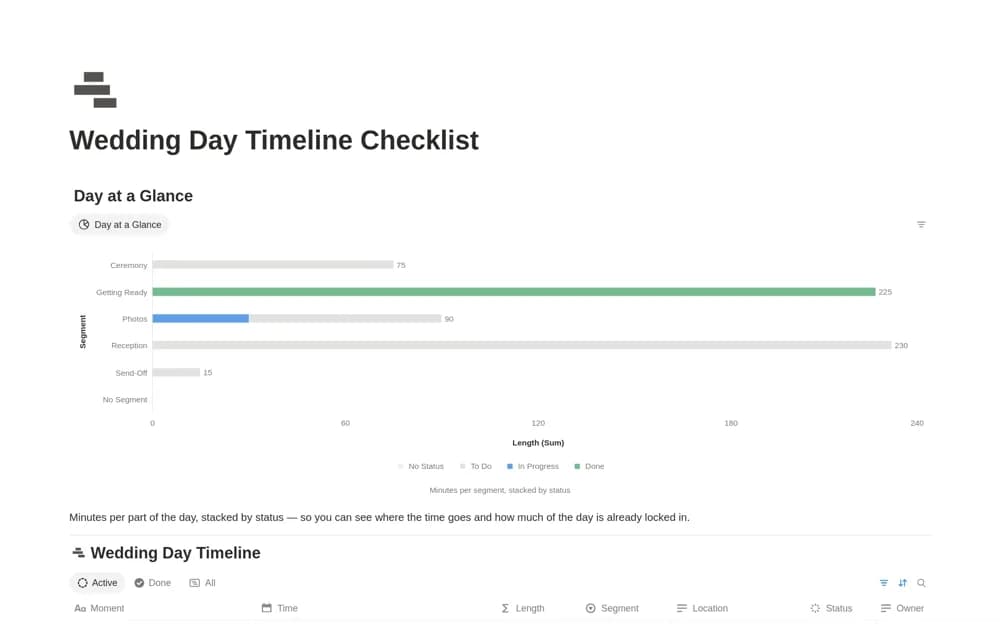
- Day-of timeline, gift registry, and honeymoon planning
How to use it in practice
Follow the quick-start guide with the confirmed date and venue, then add a small guest list and the suppliers already booked. Review one budget item and its payment evidence before filling the wider plan. Keep a shorter day-of schedule ready for people who do not need access to the full planning workspace.
Set it up in your workspace
- Open the original Notion Marketplace listing and add the template to your chosen workspace while signed in. Keep its example records until you understand how the pages connect.
- Follow the quick-start guide with the confirmed date and venue, then add a small guest list and the suppliers already booked.
- Try one complete example before adding a large backlog. Check that its views and any calculations show what you expect, then replace the sample content with your own.
Who it suits and what to consider
Couples and planners who prefer one broad planning workspace over separate event tools. The creator markets a complete planning system, but its structure still needs adapting to your event. It does not replace supplier confirmation, guest communication, or professional coordination on the day.