About Weekly Work Planner
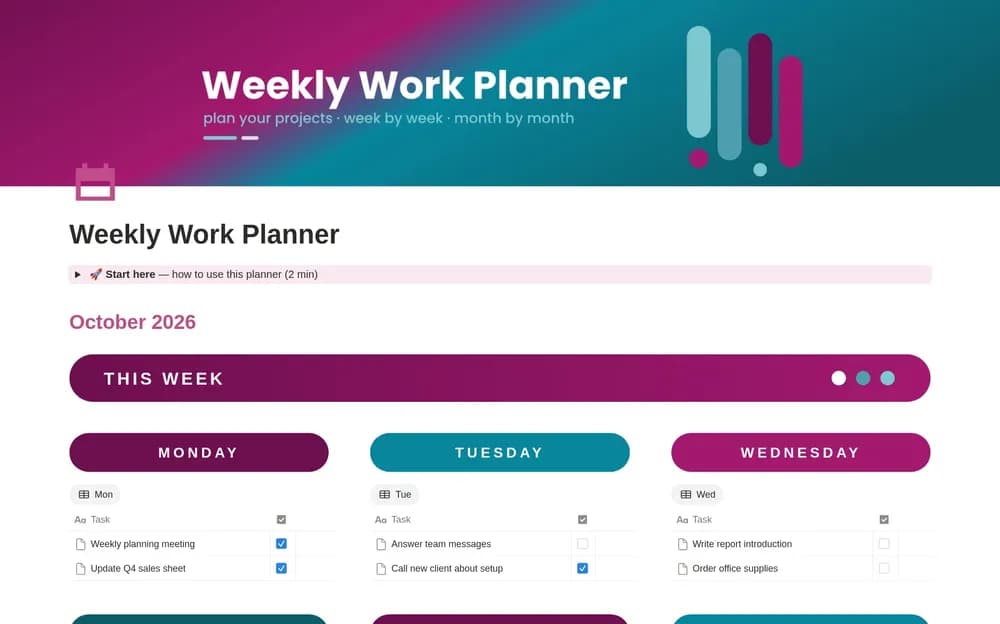
Write tasks under each weekday in Notion and see them land on a monthly calendar, with weekly lists that reset every Monday and project grouping.
What’s included
- Monday-to-Sunday layout with a to-do list per day
- Monthly calendar showing each to-do on its date
- Weekly lists that clear each Monday while past items stay on the calendar
- My Projects database for grouping tasks
- Built-in start-here guide
How to use it in practice
Delete the sample to-dos and projects, then set Notion to start the week on Monday as the creator suggests. Add this week’s tasks under the right days and link a few to projects. Tick items off as you go, and on Friday open the monthly calendar to confirm completed tasks appear where you expect.
Set it up in your workspace
- Open the original Notion Marketplace listing and add the template to your chosen workspace while signed in. Keep its example records until you understand how the pages connect.
- Delete the sample to-dos and projects, then set Notion to start the week on Monday as the creator suggests.
- Try one complete example before adding a large backlog. Check that its views and any calculations show what you expect, then replace the sample content with your own.
Who it suits and what to consider
Office workers, freelancers, and small business owners who want a simple weekly to-do layout. Scheduling a task for a future week means opening the to-do and setting a date by hand. The listing does not mention syncing with Google Calendar or other external calendars.