About Calibration Planner
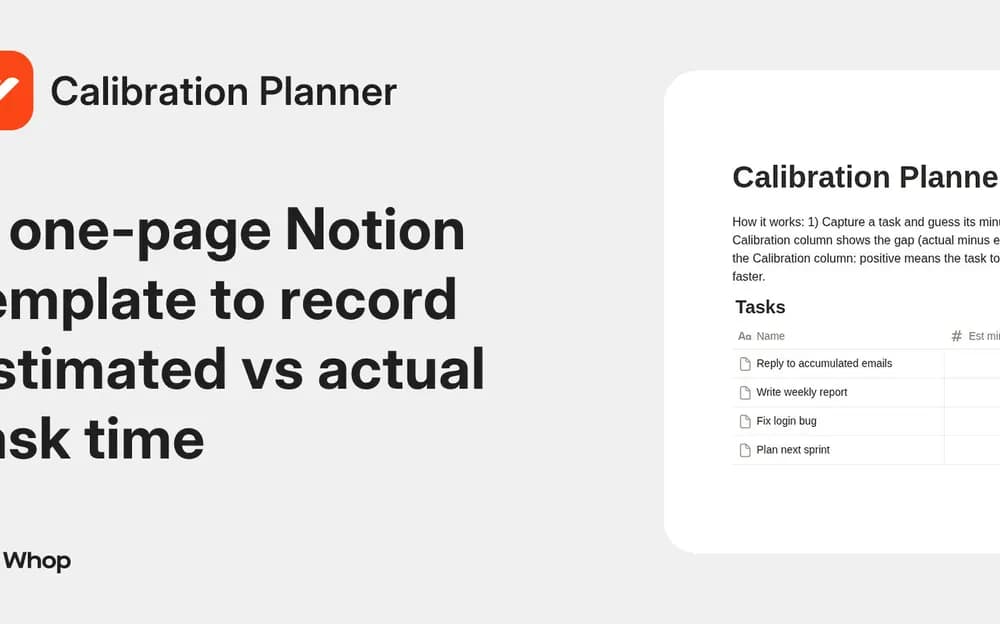
Compare estimated and actual task time on a single Notion page, with the gap calculated automatically so you can see how you tend to estimate.
What’s included
- One-page task table
- Estimated and actual minutes fields
- Automatically calculated difference
- Four example tasks
How to use it in practice
Each time you start a task this week, write down how many minutes you expect it to take. Record the actual time when you finish, without changing the estimate. After a few days, look at which kinds of tasks show the largest gaps. Use those patterns when you plan the following week.
Set it up in your workspace
- Follow the original creator’s checkout or access instructions to obtain the Notion page. Open that page while signed in, then duplicate it into the workspace you want to use.
- Each time you start a task this week, write down how many minutes you expect it to take.
- Try one complete example before adding a large backlog. Check that its views and any calculations show what you expect, then replace the sample content with your own.
Who it suits and what to consider
People who often misjudge how long tasks take and want evidence to plan more realistically. It is a single table without a timer, so actual minutes are logged by hand. On mobile, each task has to be opened as a page to enter its numbers.