About Career Growth Plan
Map professional development in Notion from your current role to short, mid, and long-term goals, with a gap analysis and a log of ongoing learning.
What’s included
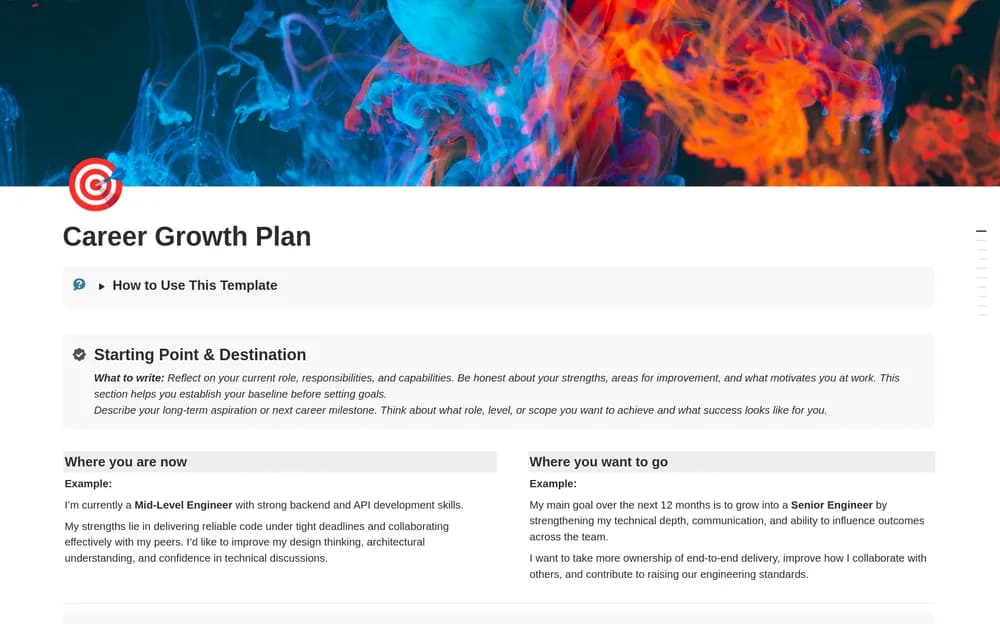
- Starting point and career direction sections
- Gap analysis linked to growth categories
- Short, mid, and long-term goal planning
- Focus distribution by category
- Extra achievements and continuous learning log
How to use it in practice
Spend twenty minutes describing your current role and what you want to improve. Write one direction for the next year and identify two or three gaps against it. Turn each gap into a measurable short-term goal and log any course, book, or event you complete during the week. Bring the page to your next one-on-one and refine it with your manager.
Set it up in your workspace
- Open the original Notion Marketplace listing and add the template to your chosen workspace while signed in. Keep its example records until you understand how the pages connect.
- Spend twenty minutes describing your current role and what you want to improve.
- Try one complete example before adding a large backlog. Check that its views and any calculations show what you expect, then replace the sample content with your own.
Who it suits and what to consider
Employees preparing for growth conversations with a manager, or anyone planning their next career move. This is a reflective planning document; it does not supply competency frameworks for specific roles. Measurable goals only help if you review the plan regularly.