About Content Repurposing Bank
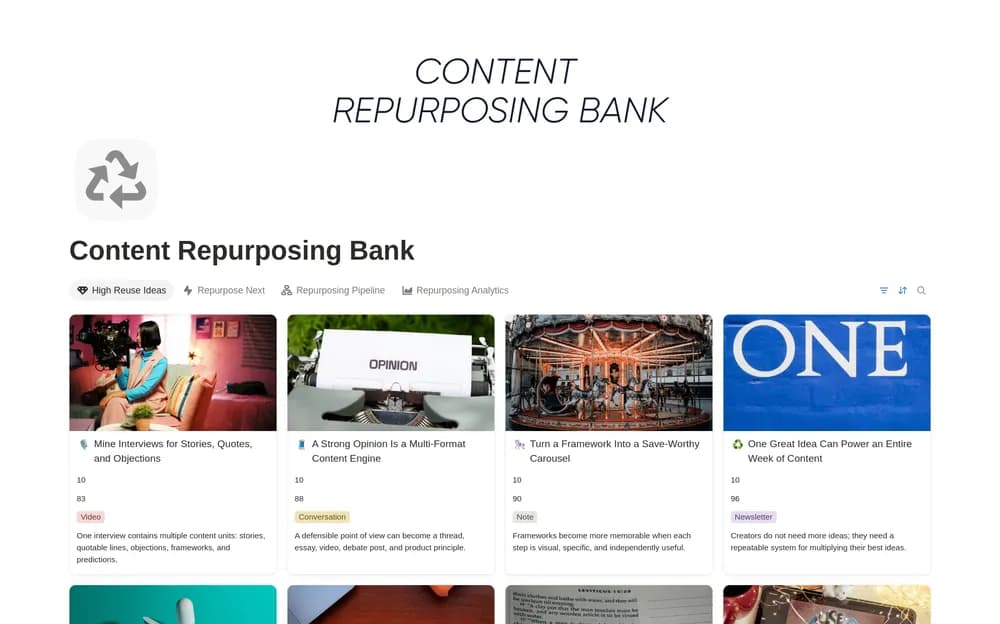
Turn one strong idea into posts, emails, threads, and scripts in Notion by logging the source, target formats, platforms, and status of each asset.
What’s included
- Repurposing database for content assets
- Fields for source idea, formats, platforms, status, and performance notes
- Views for posts, emails, scripts, newsletters, and repurposed pieces
How to use it in practice
Pick a piece that already performed well, such as a newsletter or video, and enter it as the source idea. List three formats you could realistically make from it this week, assigning each a platform and status. Produce at least one derivative and add performance notes once it has been live for a few days. Compare notes at the end of the week to decide which formats deserve repeating.
Set it up in your workspace
- Open the original Notion Marketplace listing and add the template to your chosen workspace while signed in. Keep its example records until you understand how the pages connect.
- Pick a piece that already performed well, such as a newsletter or video, and enter it as the source idea.
- Try one complete example before adding a large backlog. Check that its views and any calculations show what you expect, then replace the sample content with your own.
Who it suits and what to consider
Creators, newsletter writers, YouTubers, and founders publishing on several channels at once. Performance notes are typed in manually, and the template does not schedule or publish anything. The description is brief, so expect a single database with views rather than a full content system.