About Creator Content Atlas
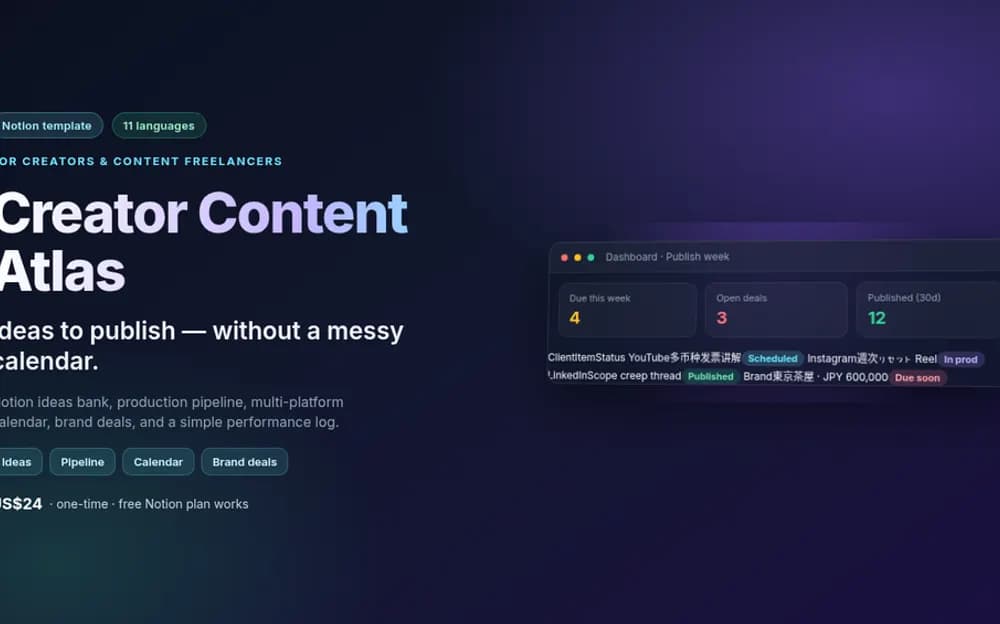
Plan creator content in Notion from idea through publishing, with repurpose links, brand-deal tracking, and a simple performance log.
What’s included
- Ideas bank organized by pillar, platform, and language
- Pipeline from idea to draft, production, scheduled, and published
- Publish dates with a days-to-publish formula
- Repurpose links between long and short pieces
- Brand deals and a views, engagement, and saves log
How to use it in practice
Add the platforms you actually post to and enter next week’s planned pieces as ideas. Move them through the pipeline as you draft and schedule, and link any clip cut from a longer video to its parent. Log results a few days after each post, and record any open sponsorship in the brand deals table.
Set it up in your workspace
- Follow the original creator’s checkout or access instructions to obtain the Notion page. Open that page while signed in, then duplicate it into the workspace you want to use.
- Add the platforms you actually post to and enter next week’s planned pieces as ideas.
- Try one complete example before adding a large backlog. Check that its views and any calculations show what you expect, then replace the sample content with your own.
Who it suits and what to consider
Solo creators and freelancers who publish across several platforms and take sponsored work. Views, engagement, and saves are typed in manually, as the listing describes no link to platform analytics. The core tables run on the free Notion plan.