About Marketing Content Planner
Schedule blogs, social posts, press, and emails in Notion with a publishing timeline, theme and country charts, quarterly progress, and a kanban.
What’s included
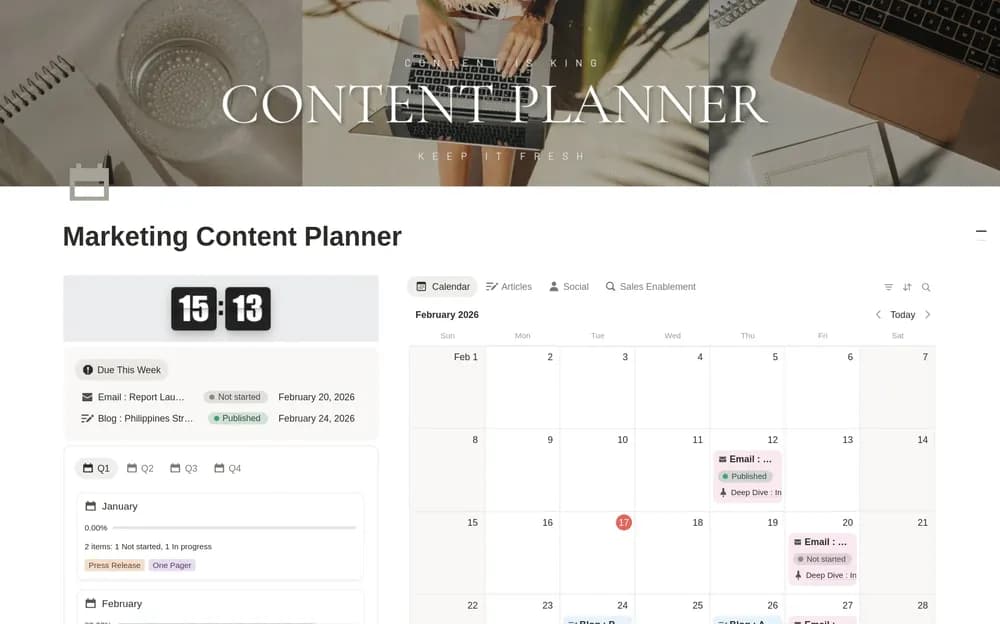
- Timeline and calendar view of upcoming publication dates
- Theme and country breakdown charts
- Quarterly plan view with monthly progress bars
- Kanban board with Planning, In Progress, and Reviewing columns
- Tabs for blogs, social, press, emails, research, and sales enablement plus an Active Campaigns section
How to use it in practice
Load the assets your team expects to publish over the next month, giving each a type, theme, and target country. Move the ones already underway onto the kanban board and set realistic dates. Midweek, check the theme and country charts to see whether the mix matches your plan. Close the week by reviewing the quarterly progress bars and the Active Campaigns section with whoever owns each campaign.
Set it up in your workspace
- Open the original Notion Marketplace listing and add the template to your chosen workspace while signed in. Keep its example records until you understand how the pages connect.
- Load the assets your team expects to publish over the next month, giving each a type, theme, and target country.
- Try one complete example before adding a large backlog. Check that its views and any calculations show what you expect, then replace the sample content with your own.
Who it suits and what to consider
In-house marketing teams producing several asset types, such as case studies and sales enablement, across regions. Charts only reflect what has been entered, so theme and country fields need to be filled in consistently. Publishing still happens in your CMS or social tools.