About Customer Feedback & Product Insights OS
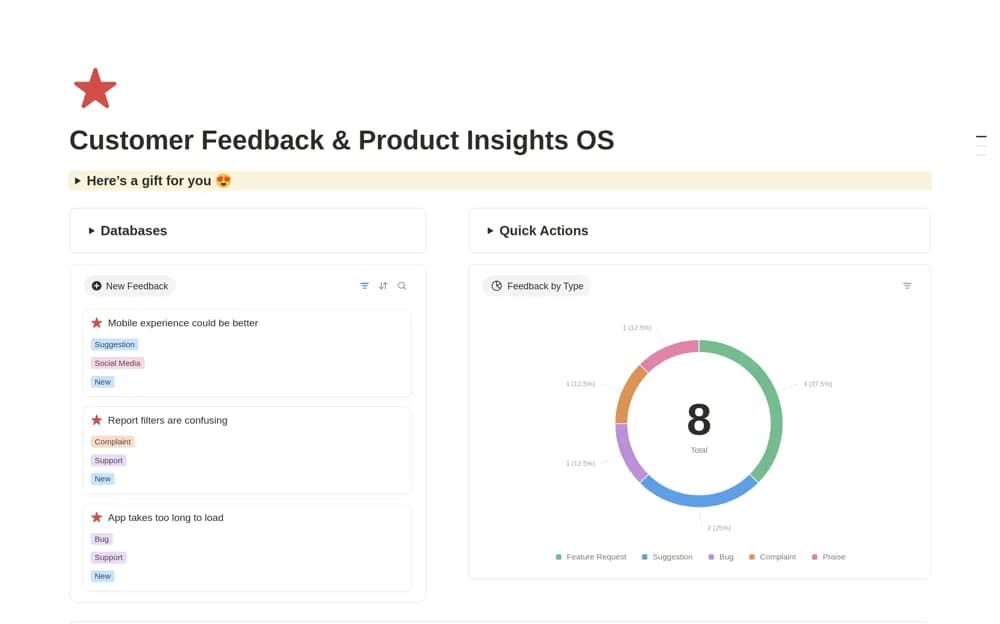
A product feedback workspace for collecting customer requests and connecting them with features and development tasks.
What’s included
- Customer feedback collection
- Product request and feature organization
- Development-task tracking within the workspace
How to use it in practice
Enter a real customer observation with its source and context. Distinguish the underlying problem from a proposed feature, then link relevant work when the team makes a decision. Review similar requests together without treating request volume alone as a priority score.
Set it up in your workspace
- Open the original Notion Marketplace listing and add the template to your chosen workspace while signed in. Keep its example records until you understand how the pages connect.
- Enter a real customer observation with its source and context.
- Try one complete example before adding a large backlog. Check that its views and any calculations show what you expect, then replace the sample content with your own.
Who it suits and what to consider
Product and customer-facing teams organizing feedback before prioritization. The public description does not establish automatic feedback imports or integrations with support tools.