About Simple Client Onboarding Hub
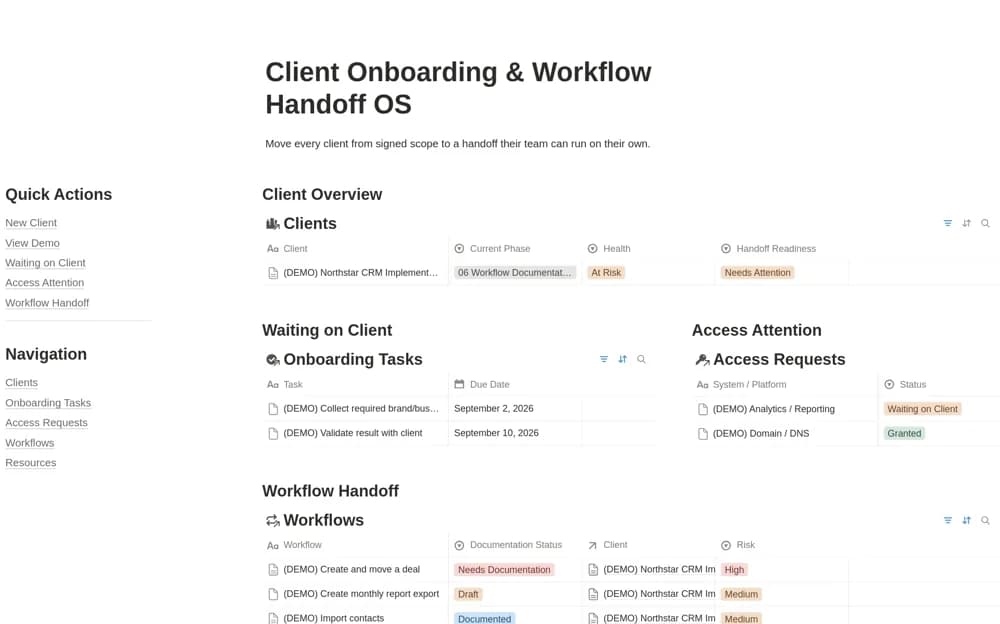
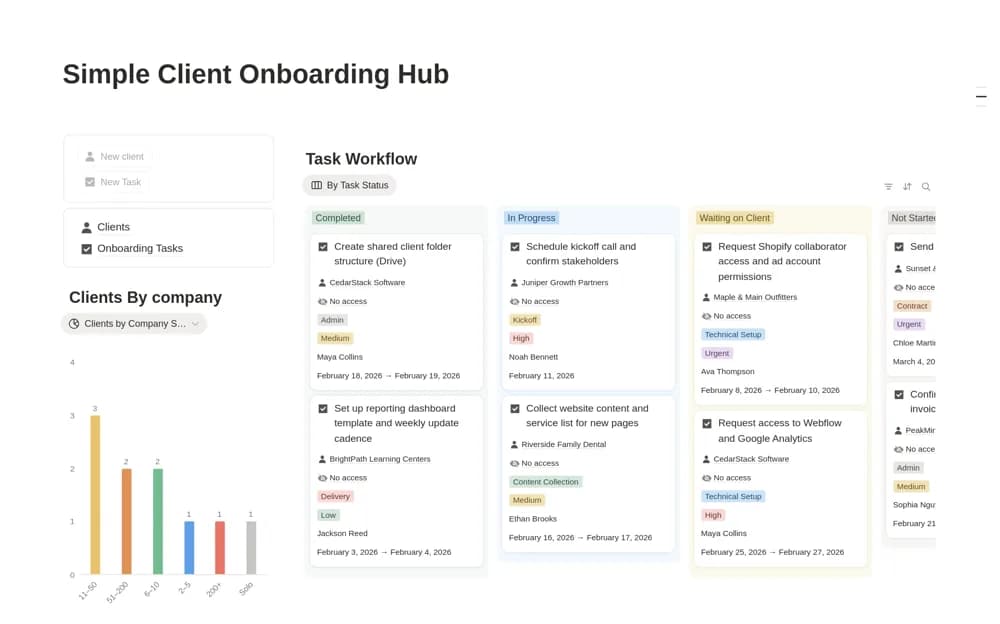
A lightweight onboarding system with two connected databases for clients and tasks, including a start-date calendar and a view of work waiting on the client.
What’s included
- Clients database with lifecycle statuses
- Related Onboarding Tasks
- Active Onboarding, due-date, and Waiting on Client views
How to use it in practice
Create a signed client and link the few tasks needed before work can begin. Give each a due date and move blocked work into the waiting state with a clear note. Review the active onboarding view before kickoff to confirm the client is actually ready rather than simply marked signed.
Set it up in your workspace
- Open the original Notion Marketplace listing and add the template to your chosen workspace while signed in. Keep its example records until you understand how the pages connect.
- Create a signed client and link the few tasks needed before work can begin.
- Try one complete example before adding a large backlog. Check that its views and any calculations show what you expect, then replace the sample content with your own.
Who it suits and what to consider
Solo freelancers and small agencies who need a clear onboarding routine without a broad operating system. The supplied assignee field is described as text. Check how you want responsibility and notifications to work before using it as a shared team assignment system.