About Client Onboarding & Handoff OS
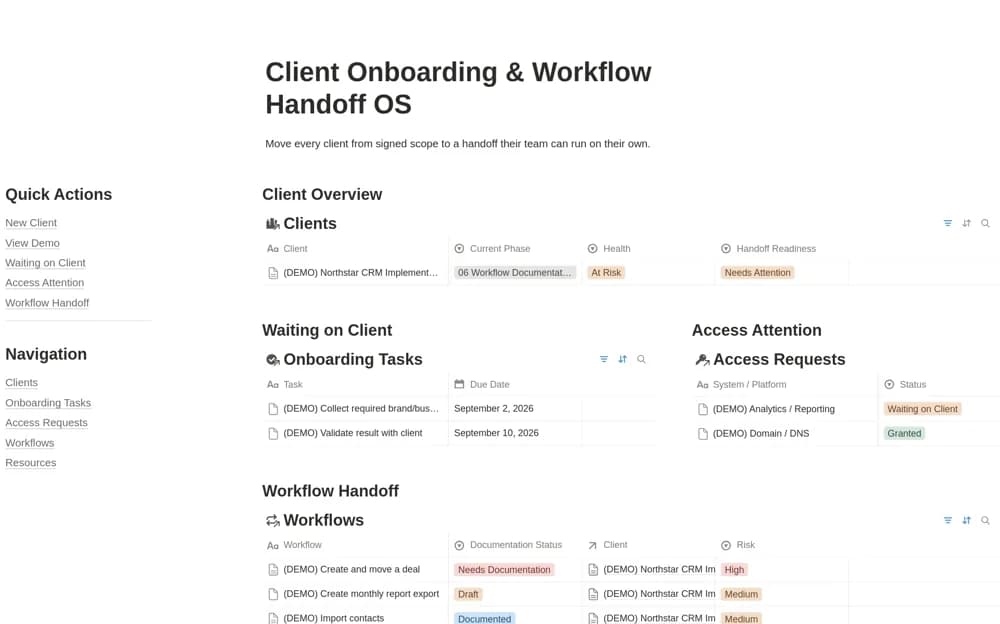
A client implementation workspace tracking onboarding progress, missing access, workflow documentation, and handoff readiness, with a client-facing handoff view and a sample engagement.
What’s included
- Client onboarding and progress records
- Access requests and workflow documentation
- Handoff readiness and client-facing view
How to use it in practice
Follow the sample engagement, then add a client with one access dependency and one workflow to document. Test readiness against the actual materials the client will need after handoff. Open the shared view as the client to check that instructions and access are usable before marking implementation complete.
Set it up in your workspace
- Open the original Notion Marketplace listing and add the template to your chosen workspace while signed in. Keep its example records until you understand how the pages connect.
- Follow the sample engagement, then add a client with one access dependency and one workflow to document.
- Try one complete example before adding a large backlog. Check that its views and any calculations show what you expect, then replace the sample content with your own.
Who it suits and what to consider
Agencies and implementation teams moving from agreed scope to a documented, usable client handover. The creator mentions attaching Wayfare guides for browser workflows; that is a separate tool and share link. Check client permissions and the scope of every external dependency.