About E-Commerce Manager
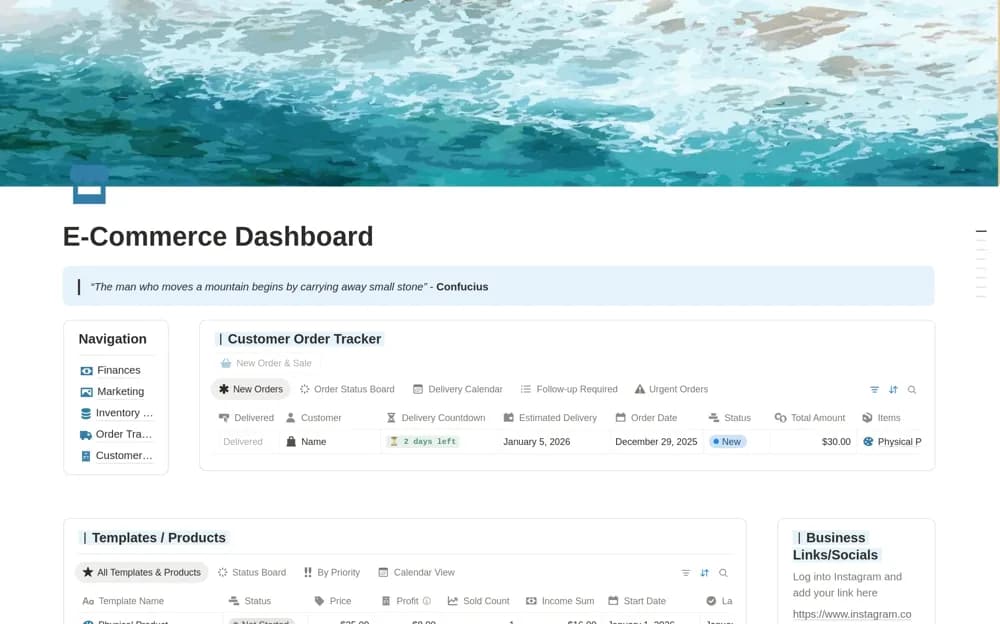
An online-store workspace linking orders, delivery dates, stock, finances, marketing, and customer feedback.
What’s included
- Order tracking with delivery countdowns
- Inventory and financial records
- Marketing planning, assets, and customer feedback
How to use it in practice
Trial a few real orders and check how stock and delivery status are maintained. Decide which system owns each figure before adding financial records. Review open orders and low stock regularly, keeping customer information accessible only to the people who need it.
Set it up in your workspace
- Open the original Notion Marketplace listing and add the template to your chosen workspace while signed in. Keep its example records until you understand how the pages connect.
- Trial a few real orders and check how stock and delivery status are maintained.
- Try one complete example before adding a large backlog. Check that its views and any calculations show what you expect, then replace the sample content with your own.
Who it suits and what to consider
Small e-commerce operators coordinating several parts of their store. The source does not confirm automatic synchronization with storefronts, carriers, or payment systems.