About Ecommerce Business Starter
This free selection comes from a larger ecommerce kit. It links order and inventory organization, which is useful when those records otherwise drift apart. Check the free version’s scope and calculations against your own products before relying on it for live shop operations.
What’s included
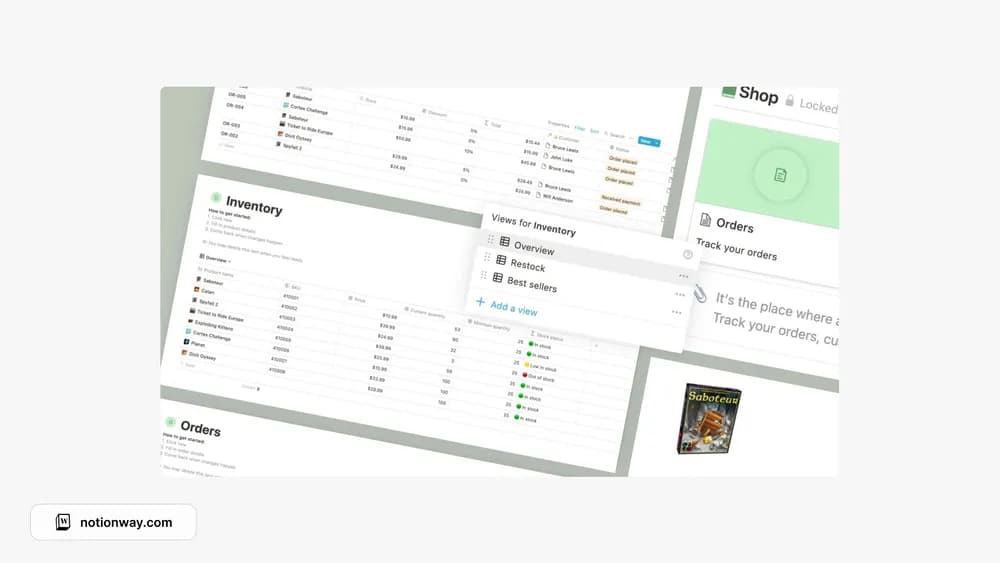
- Order views for in-progress, ready-to-deliver, and completed work
- Inventory views including restock and best sellers
- Linked inventory and orders, a discount-price calculator, and a restock indicator
How to use it in practice
Test one product and one order before loading a catalog. Check how an order affects the inventory record, then compare the displayed stock with a physical count. Use order stages that reflect your actual fulfillment process. Record adjustments deliberately so returns or damaged items do not leave the stock figure looking more reliable than it is.
Set it up in your workspace
- Follow the original creator’s checkout or access instructions to obtain the Notion page. Open that page while signed in, then duplicate it into the workspace you want to use.
- Enter a few sample products and a test order. Check the stock and price calculations before adding real transactions.
- Try one complete example before adding a large backlog. Check that its views and any calculations show what you expect, then replace the sample content with your own.
Who it suits and what to consider
Small shop owners organizing orders and stock. This is the free starter portion of a larger ecommerce kit. It can organize an operational record, but the listing does not establish a live connection to a storefront or payment system.