About Asset Manager
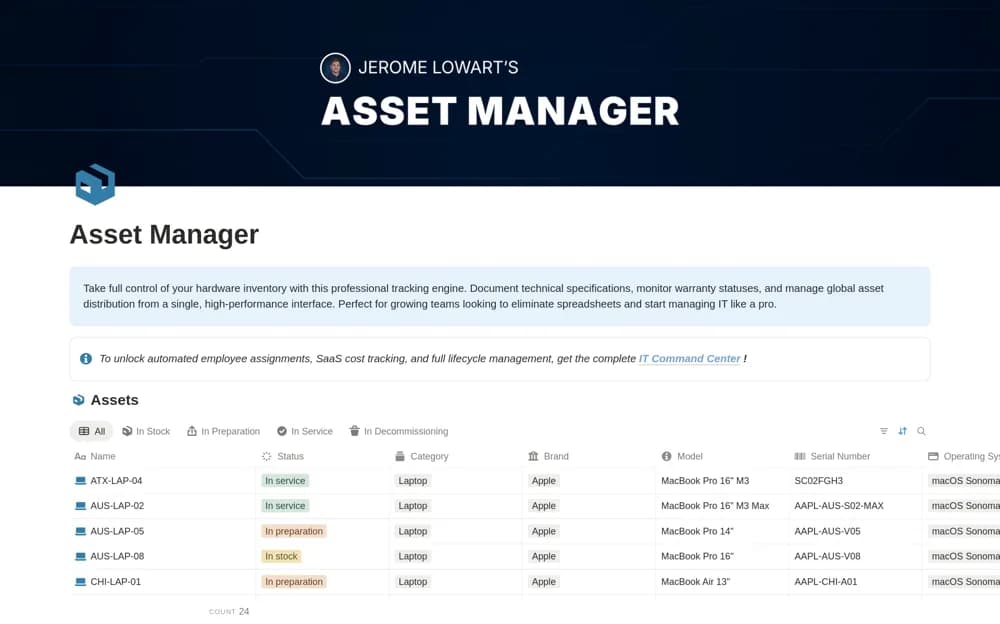
An IT hardware register for serial numbers, specifications, purchases, grouping, and warranty context.
What’s included
- Hardware records with serial number, model, and purchase date
- Grouping by asset type or department
- Warranty and equipment-lifecycle information
How to use it in practice
Add a few real devices using identifiers you can match to the equipment. Check grouping and warranty information, then agree who updates records when assets move. Link source documents and test the register’s search before importing a larger fleet.
Set it up in your workspace
- Open the original Notion Marketplace listing and add the template to your chosen workspace while signed in. Keep its example records until you understand how the pages connect.
- Add a few real devices using identifiers you can match to the equipment.
- Try one complete example before adding a large backlog. Check that its views and any calculations show what you expect, then replace the sample content with your own.
Who it suits and what to consider
IT professionals maintaining a clear inventory of physical equipment. User relationships, SaaS costs, and wider onboarding workflows are described as part of the separate IT Command Center.