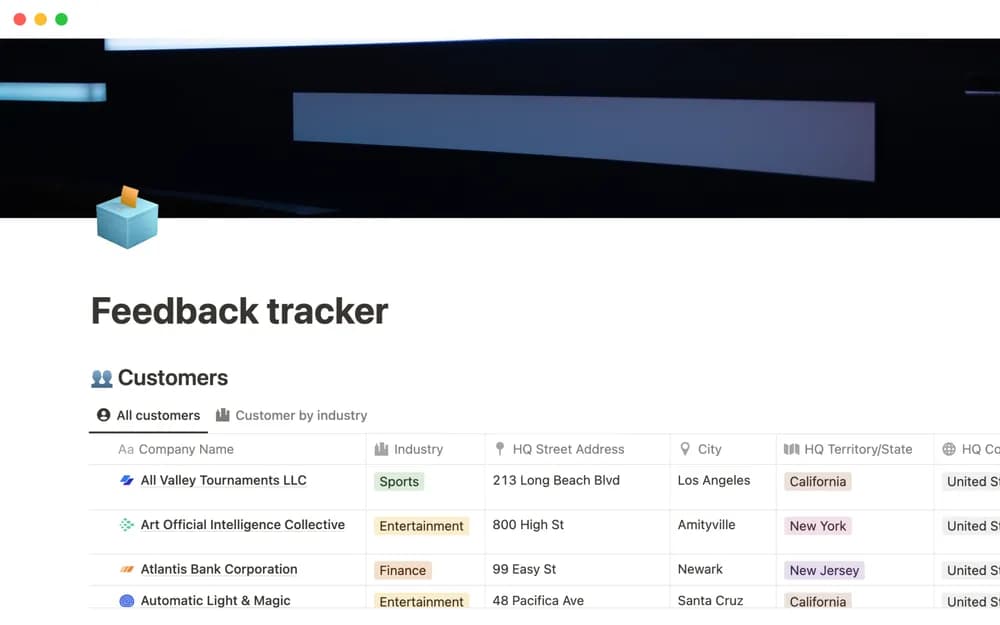
About Feedback tracker
A feedback tracker helps when a suggestion arrives without the context of a formal interview. This Notion-made template offers a home for that input. Preserve the source and underlying problem so that several similar requests can inform a decision without becoming an automatic feature list.
What’s included
- Customer records connected to feedback
- A shared collection of product input
- Links between feedback and product-requirement documents
How to use it in practice
Add a few current pieces of feedback with their source and the underlying problem. Group similar needs without losing who reported them. When the team considers a change, connect the relevant feedback to the requirement document and explain the decision. Keep the original wording accessible so later summaries can be checked.
Set it up in your workspace
- Open the original Notion Marketplace listing and add the template to your chosen workspace while signed in. Keep its example records until you understand how the pages connect.
- Add a few current pieces of feedback and record where each came from. Group by the problem people describe.
- Try one complete example before adding a large backlog. Check that its views and any calculations show what you expect, then replace the sample content with your own.
Who it suits and what to consider
Product teams collecting feedback from several sources. A useful bridge between customer input and product planning. Feedback frequency is one signal to interpret alongside severity, audience, and strategy.