About Freelance Expense Tracker
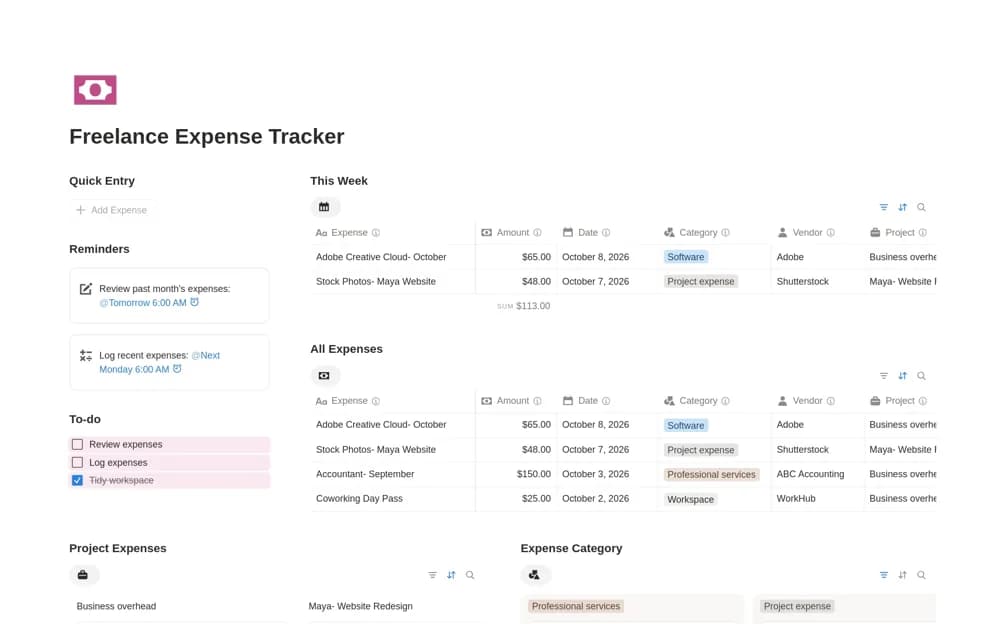
A freelance spending ledger with transaction dates, categories, vendors, project context, and receipt references.
What’s included
- Amount, date, category, and vendor fields
- Project-specific costs and business-overhead organization
- Expense pages with business context and supporting references
How to use it in practice
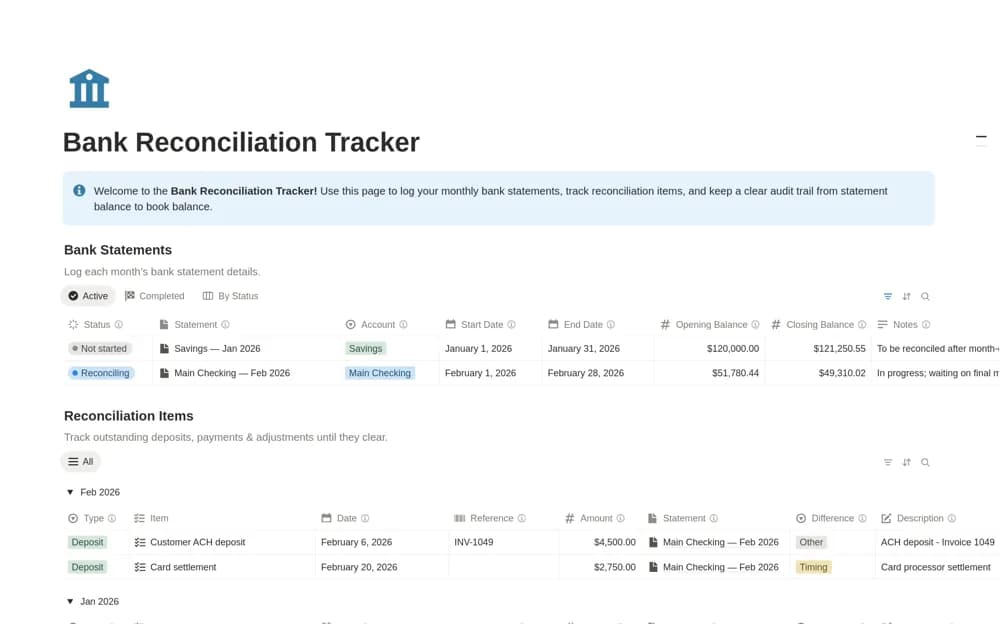
Enter a recent expense with its receipt and business purpose. Agree consistent categories, then check that project costs are distinguishable from general overhead. Reconcile the ledger with source statements regularly and ask your accountant how records should be treated for reporting.
Set it up in your workspace
- Open the original Notion Marketplace listing and add the template to your chosen workspace while signed in. Keep its example records until you understand how the pages connect.
- Enter a recent expense with its receipt and business purpose.
- Try one complete example before adding a large backlog. Check that its views and any calculations show what you expect, then replace the sample content with your own.
Who it suits and what to consider
Independent service providers recording business and project expenses. Expense organization does not establish deductibility, tax treatment, or complete bookkeeping coverage.