About Invoice Chase Sequence
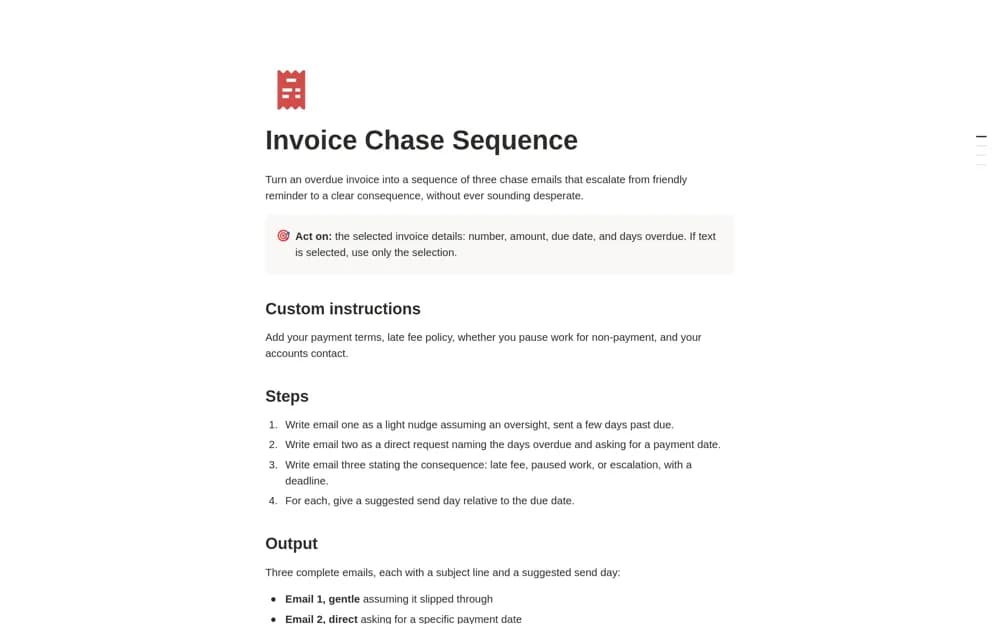
A Notion AI instruction template that drafts three escalating invoice-reminder emails, using invoice details, suggested send dates, and your own payment policies.
What’s included
- Gentle, direct, and firm email drafts
- Suggested send days and subject lines
- Custom instructions for payment terms and escalation policy
How to use it in practice
Enter a genuine overdue invoice and your agreed payment terms, then inspect all three drafts before using any message. Check the amount, due date, and proposed consequence against the contract. Schedule follow-ups through your normal communication process and stop the sequence when payment or a dispute changes the situation.
Set it up in your workspace
- Open the original Notion Marketplace listing and add the template to your chosen workspace while signed in. Keep its example records until you understand how the pages connect.
- Enter a genuine overdue invoice and your agreed payment terms, then inspect all three drafts before using any message.
- Try one complete example before adding a large backlog. Check that its views and any calculations show what you expect, then replace the sample content with your own.
Who it suits and what to consider
Freelancers and agency teams preparing careful follow-up messages for overdue invoices. This is an AI drafting skill, not an invoice ledger or an automatic email sender. It requires access to suitable Notion AI functionality and human review of the output.