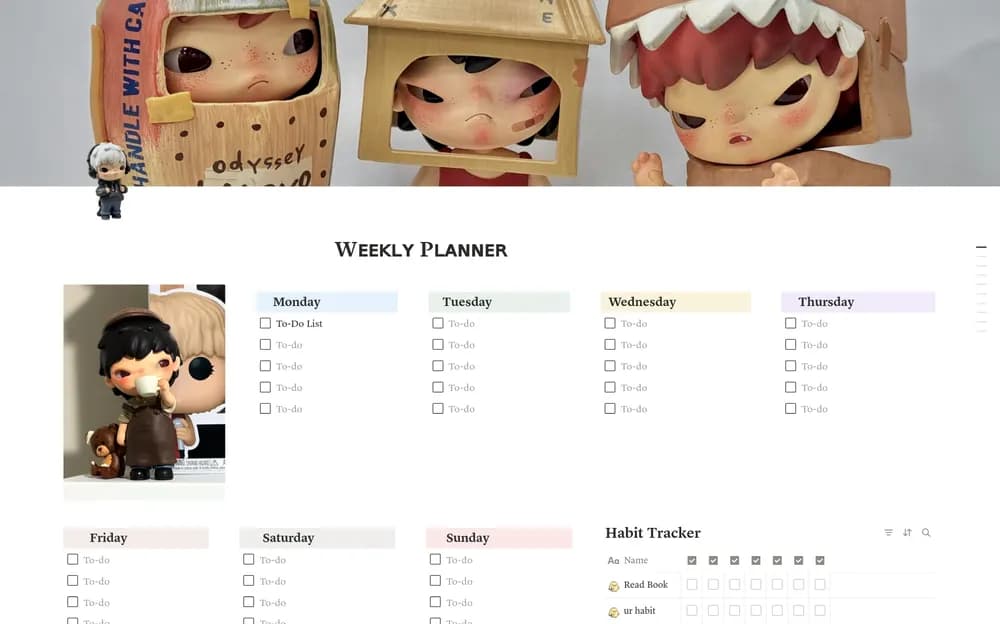
About Hirono Weekly Planner
Run the week from a Notion dashboard that combines a calendar view, mood tracking, a brain dump, and task management with priorities and progress.
What’s included
- Weekly calendar view
- Mood tracker
- Brain-dump section
- Task management with priorities and progress tracking
- Central dashboard linking each part
How to use it in practice
Empty your head into the brain dump on Monday, then turn the important items into tasks with a priority. Place them on the calendar and record your mood once a day. At the end of the week, compare mood entries with completed tasks to see whether certain days or kinds of work affected you.
Set it up in your workspace
- Open the original Notion Marketplace listing and add the template to your chosen workspace while signed in. Keep its example records until you understand how the pages connect.
- Empty your head into the brain dump on Monday, then turn the important items into tasks with a priority.
- Try one complete example before adding a large backlog. Check that its views and any calculations show what you expect, then replace the sample content with your own.
Who it suits and what to consider
People who want weekly planning that also prompts them to notice how mood affects their work. Mood entries are self-reported, and the listing does not describe charts or analysis. The marketing copy is broad, so review the actual views in your copy.