About Ultimate Content OS™
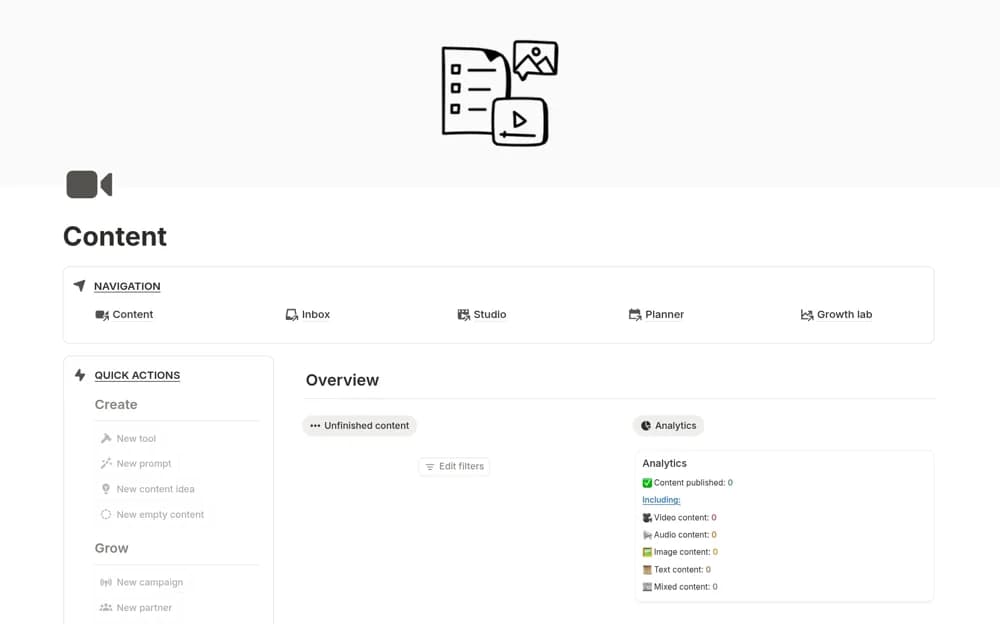
A broad content-production workspace with connected databases, calendars, dashboards, performance records, and partnership organization.
What’s included
- Ten interconnected databases and five dashboards
- Content ideation, calendar, and production pipeline
- Performance, keyword, and partnership context
How to use it in practice
Trial one piece of content from idea to published result before adopting the wider system. Check which metrics need manual input and inspect any automations in your account. Keep evidence and review responsibilities clear, using the optional AI-related material only where it supports your editorial process.
Set it up in your workspace
- Open the original Notion Marketplace listing and add the template to your chosen workspace while signed in. Keep its example records until you understand how the pages connect.
- Trial one piece of content from idea to published result before adopting the wider system.
- Try one complete example before adding a large backlog. Check that its views and any calculations show what you expect, then replace the sample content with your own.
Who it suits and what to consider
Creators and content teams evaluating a more extensive editorial system. Claims about ranking automation, growth, and outcomes need verification; the source does not detail every external connection.