About Month-End Close Checklist
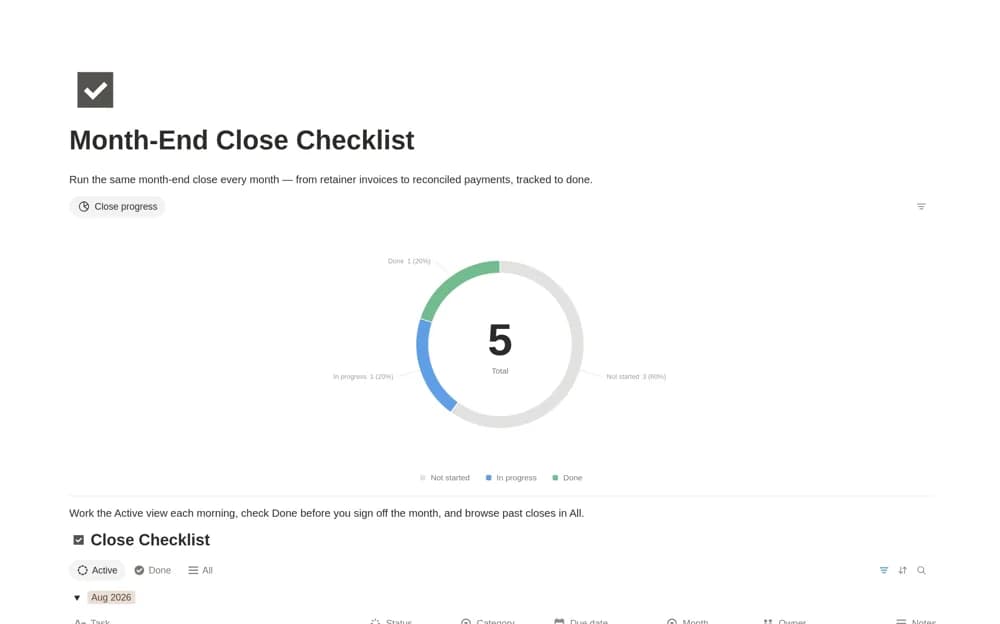
A monthly close task system with owners, due dates, finance categories, and a progress chart, designed to preserve the history of completed reporting periods.
What’s included
- Close Checklist database
- Close Progress chart
- Active and All views with monthly categories
How to use it in practice
Set up one period using the tasks your business actually needs, then assign owners and due dates. Review active items each day during the close and record exceptions in their notes. Use the completed history to improve next month’s sequence rather than rebuilding the checklist from memory.
Set it up in your workspace
- Open the original Notion Marketplace listing and add the template to your chosen workspace while signed in. Keep its example records until you understand how the pages connect.
- Set up one period using the tasks your business actually needs, then assign owners and due dates.
- Try one complete example before adding a large backlog. Check that its views and any calculations show what you expect, then replace the sample content with your own.
Who it suits and what to consider
Finance teams, agencies, and freelancers coordinating repeated month-end administrative work. The chart measures task completion. It does not verify the accuracy of accounts, reconcile balances automatically, or replace a reviewer’s approval of the financial figures.