 Free
FreeBookkeeper Command Center
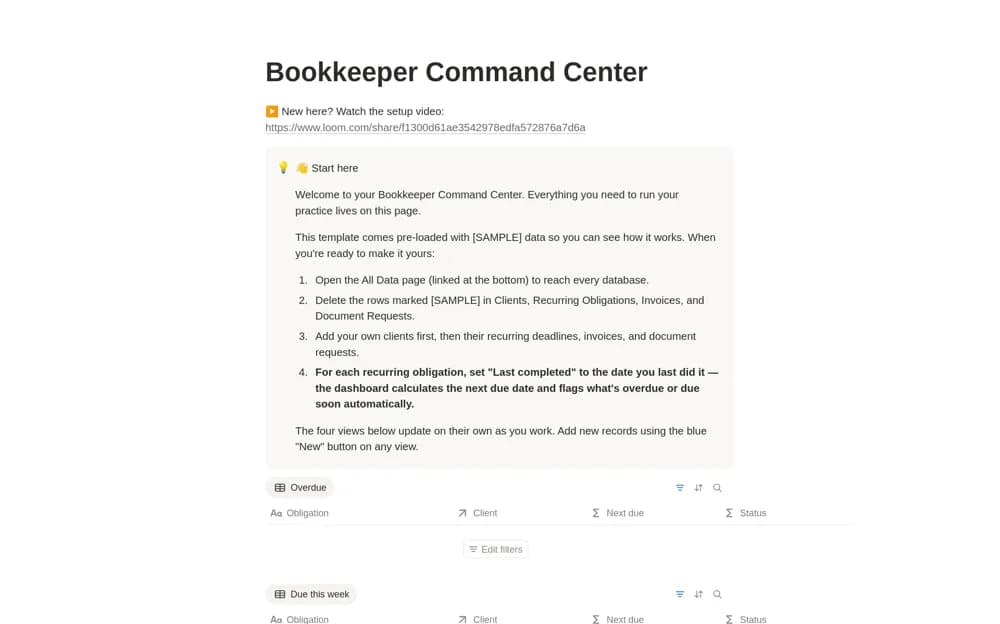
A bookkeeping-practice dashboard connecting clients, recurring obligations, invoices, and document requests, with views for overdue work, approaching deadlines, and outstanding client materials.
Make the month-end routine easier to repeat. Browse Notion templates for bookkeeping checklists, financial review tasks, and the records a team needs before calling a reporting period complete.
Showing 1–4 of 4 templates
A little structure goes a long way.FreeA bookkeeping-practice dashboard connecting clients, recurring obligations, invoices, and document requests, with views for overdue work, approaching deadlines, and outstanding client materials.
 Free
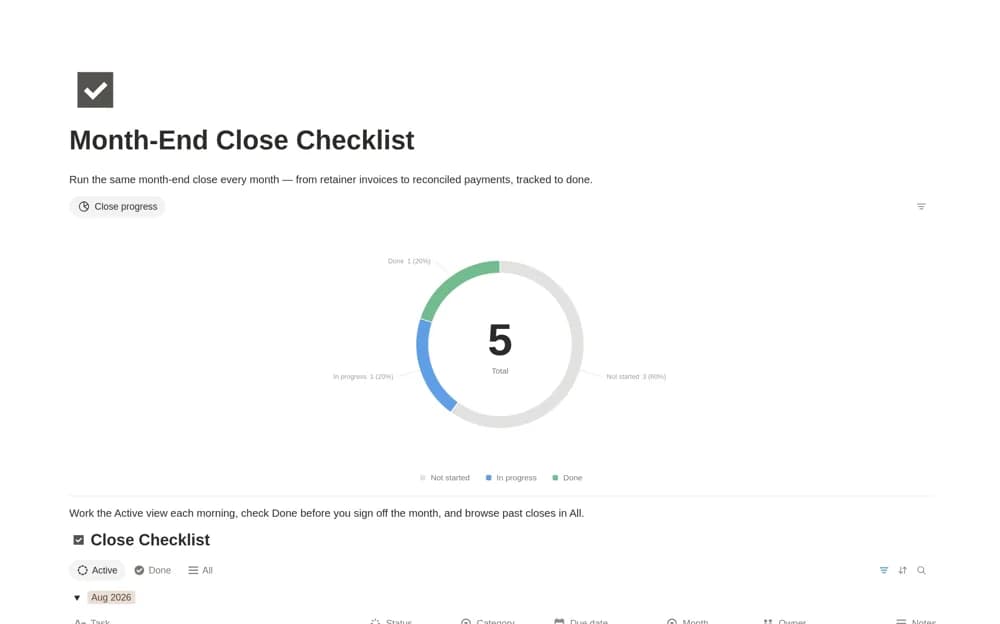
FreeA monthly close task system with owners, due dates, finance categories, and a progress chart, designed to preserve the history of completed reporting periods.
 Paid
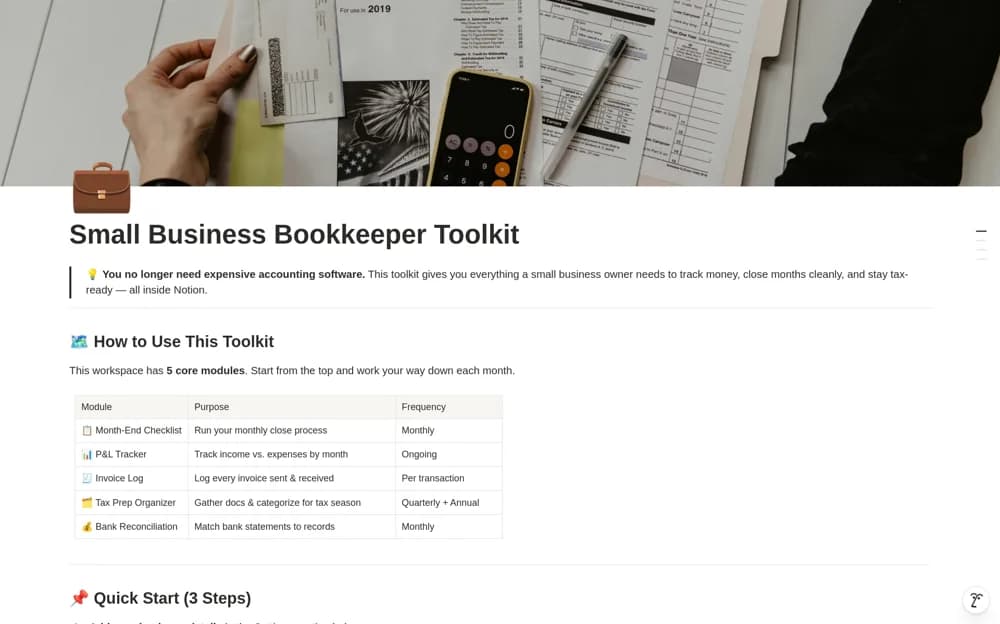
PaidA paid bookkeeping toolkit combining a fifteen-step monthly close, profit-and-loss tracking, invoice records, tax preparation, and a bank reconciliation log, with example data to explain the workflow.
 Free
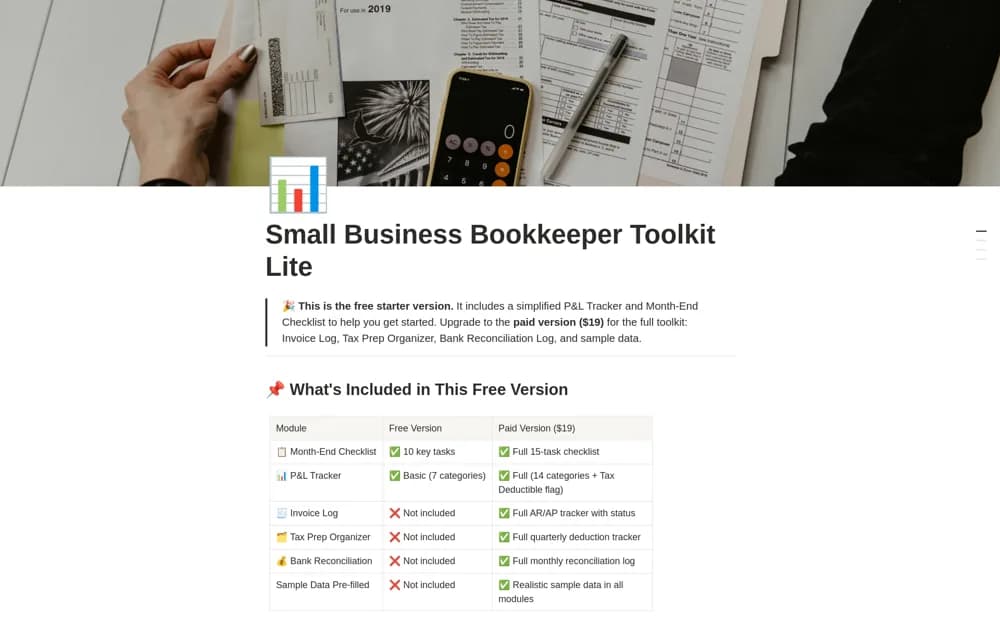
FreeA free bookkeeping starter kit with a ten-task month-end checklist and a profit-and-loss tracker using seven categories for income and expense records.
Compare the purpose and included features before choosing a workspace.
Freelance bookkeepers, accountants, and small firms managing recurring work for several clients.
Finance teams, agencies, and freelancers coordinating repeated month-end administrative work.
Small-business owners and bookkeepers who want several related finance routines in one workspace.
List the tasks required by your own business and put them in a sensible order. Separate collecting source documents, checking balances, reviewing results, and approving completion. Give exceptions an owner instead of marking a month complete while questions remain. A template can coordinate the close, but financial figures still need checking against the underlying records. Try one completed month to confirm the checklist matches your actual responsibilities.
Repeatable period checklists
Owners and unresolved items
Review and sign-off records
About the directoryGive each period’s close tasks an owner, due date, and source evidence. Keep exceptions visible until resolved or explicitly accepted by the responsible reviewer. Review the completed period before creating the next one, retaining history rather than overwriting it. Use repeated problems to improve the checklist and sequence.
No. It shows the recorded workflow status. Financial accuracy depends on the source records, checks, and review performed. Keep evidence and approval separate from the task-completion percentage.
Yes. This collection currently includes 3 listings with a confirmed free creator offer, alongside 1 paid or freemium option. Use the Free filter to compare them. A free version can have different features from a creator’s paid upgrade, so check the original listing and current access terms before adding it to your workspace.