About Music Producer OS — Production, Releases & Client
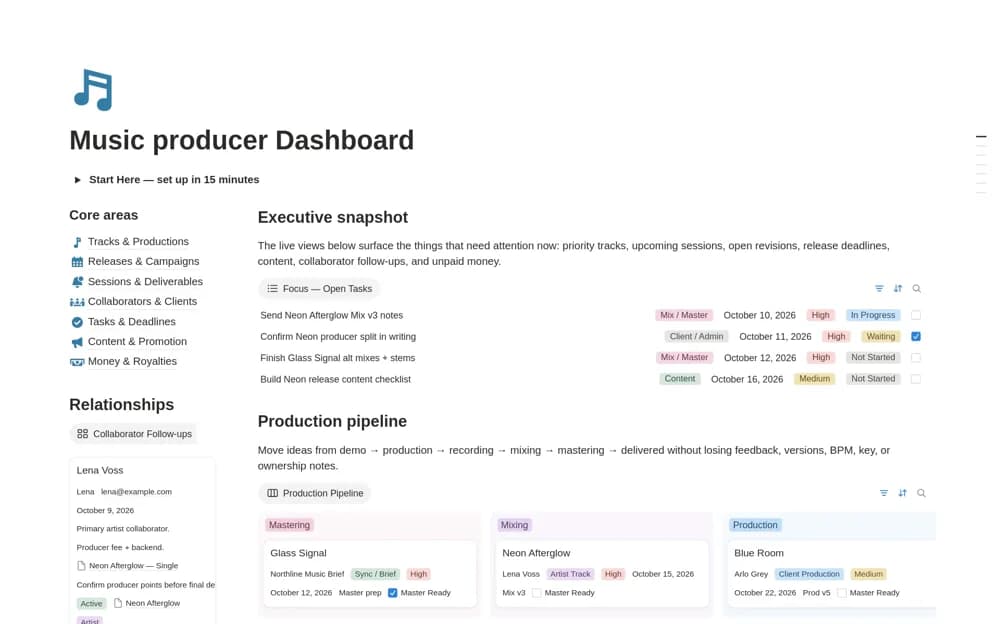
A free music-production dashboard connecting track stages, sessions, mix revisions, collaborators, clients, releases, promotion, tasks, and financial records.
What’s included
- Track, session, and mix or mastering records
- Client and collaborator CRM
- Release, promotion, income, expense, and royalty context
How to use it in practice
Add one track and identify the latest audio version before recording revision feedback. Connect its collaborators and client deadline, then build the release tasks only once the delivery path is clear. Review outstanding payments separately from production status so a finished master does not hide unfinished business administration.
Set it up in your workspace
- Open the original Notion Marketplace listing and add the template to your chosen workspace while signed in. Keep its example records until you understand how the pages connect.
- Add one track and identify the latest audio version before recording revision feedback.
- Try one complete example before adding a large backlog. Check that its views and any calculations show what you expect, then replace the sample content with your own.
Who it suits and what to consider
Independent producers and engineers coordinating creative work with client delivery and release plans. The listing organizes financial and royalty information but does not confirm distributor imports or collection services. Keep large media files in your existing production or storage tools.