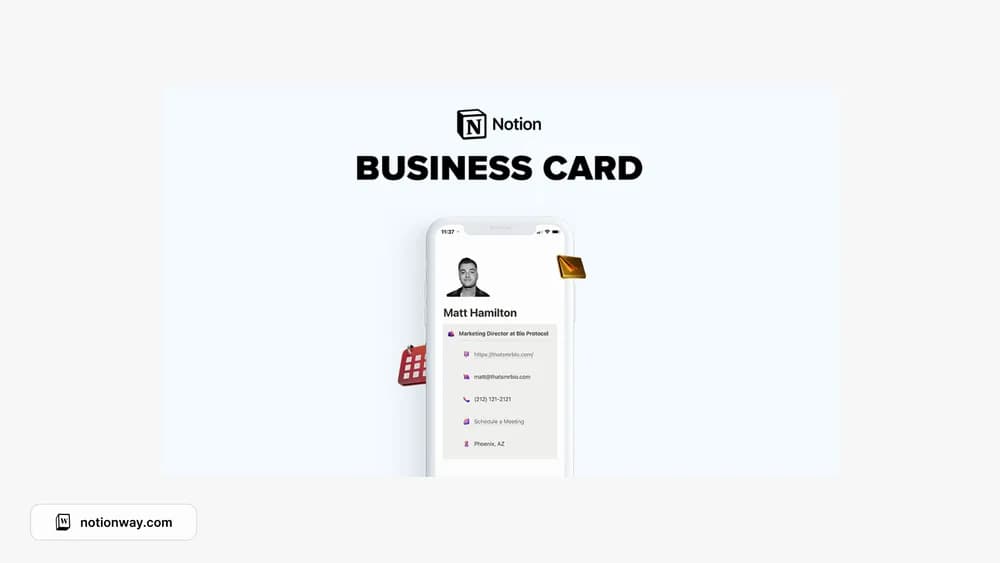
About Notion Digital Business Card
A digital business card is useful when someone needs to understand what you do and how to reach you quickly. This is a small public-page format. Keep the information current and check the published view before using the link in a profile or email signature.
What’s included
- Four business-card styles
- Editable layouts for your professional links and details
- A custom 3D icon pack described by the creator
How to use it in practice
Choose the style that makes your name, role, and main contact action easiest to see. Add a short description of what you do and only the links a recipient needs. Open the shared page in a signed-out browser and on a phone before sending it. Recheck the links when your role or portfolio changes so an old card still leads somewhere useful.
Set it up in your workspace
- Follow the original creator’s checkout or access instructions to obtain the Notion page. Open that page while signed in, then duplicate it into the workspace you want to use.
- Add a short introduction and your preferred contact method. Open the public page on a phone to check readability.
- Try one complete example before adding a large backlog. Check that its views and any calculations show what you expect, then replace the sample content with your own.
Who it suits and what to consider
Freelancers and professionals sharing contact details. A compact public contact page rather than a full portfolio. Keep the main action obvious and avoid exposing private workspace pages through links or sharing settings.