About Notion Idea Manager
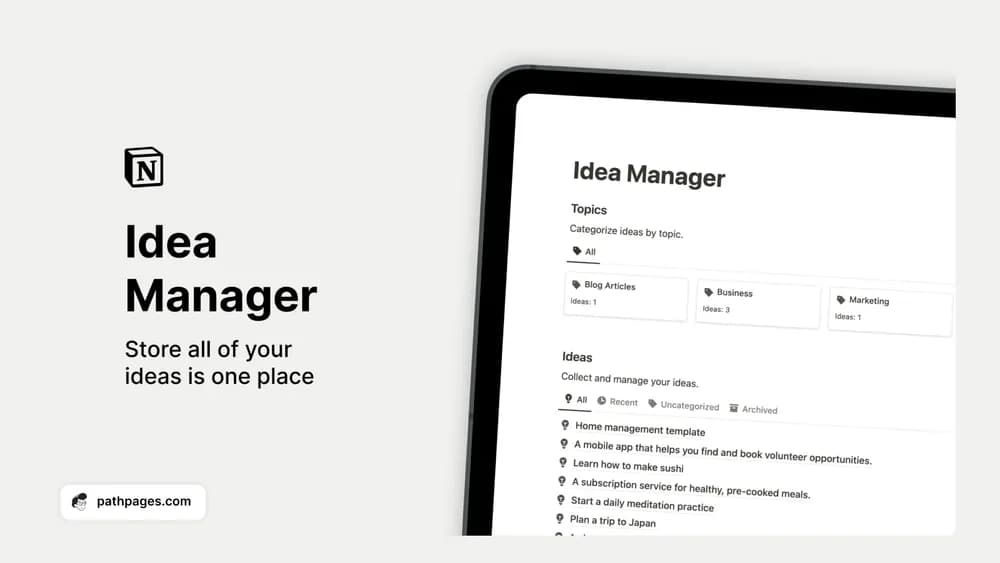
An idea inbox is useful when you revisit it. This manager provides a place to capture thoughts and group them by topic. Add enough context to remember the original problem or opportunity, rather than saving a phrase that no longer makes sense a month later.
What’s included
- A capture space for ideas across work and personal projects
- Topic tags for sorting and filtering
- An archive for completed ideas
How to use it in practice
Capture the idea in rough language, then add the audience or problem while it is fresh. During a weekly review, choose one idea to investigate and describe the smallest test you could run. Move ideas you have acted on into the archive. A small, reviewed collection is easier to use than a large list of titles that no longer explain themselves.
Set it up in your workspace
- Get the template link from PathPages. Its free-template pages ask you to create an account for access. Open the delivered Notion page and duplicate it into your workspace.
- Capture three current ideas and write the next question for each. Review the list at the end of the week.
- Try one complete example before adding a large backlog. Check that its views and any calculations show what you expect, then replace the sample content with your own.
Who it suits and what to consider
People collecting ideas for projects or creative work. Good for capturing possibilities before they become commitments. Keep a distinction between an interesting idea and an active project so the backlog does not silently become a to-do list.