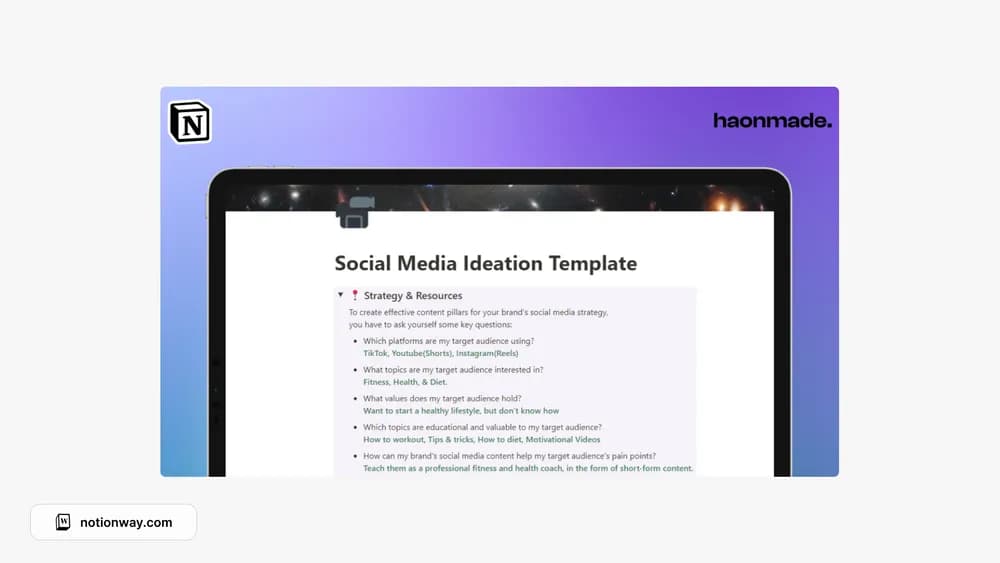
About Notion - Social Media Ideation Template
Ideation deserves enough context that an idea remains useful later. This template gives that early stage a dedicated space. Add the audience, the point you want to make, and a possible format while the thought is fresh, then review the backlog before planning new content.
What’s included
- Content-strategy questions for defining pillars
- A place for resources and competitor links
- A content-idea table you can edit and organize
How to use it in practice
Answer the strategy questions using the audience you serve now. Turn a common problem into several possible angles, then save the evidence or reference behind each. Review competitor links for gaps and useful context without copying their work. Choose one idea to develop into a brief, leaving the rest as options rather than scheduled commitments.
Set it up in your workspace
- Follow the original creator’s checkout or access instructions to obtain the Notion page. Open that page while signed in, then duplicate it into the workspace you want to use.
- Capture five ideas and explain who each is for. Choose one to develop into an actual brief.
- Try one complete example before adding a large backlog. Check that its views and any calculations show what you expect, then replace the sample content with your own.
Who it suits and what to consider
Creators who want a more useful idea backlog. Best for developing ideas and a coherent direction. Pair it with your existing calendar when the selected ideas are ready for production.