About Office Editorial Calendar (and Team Workflow)
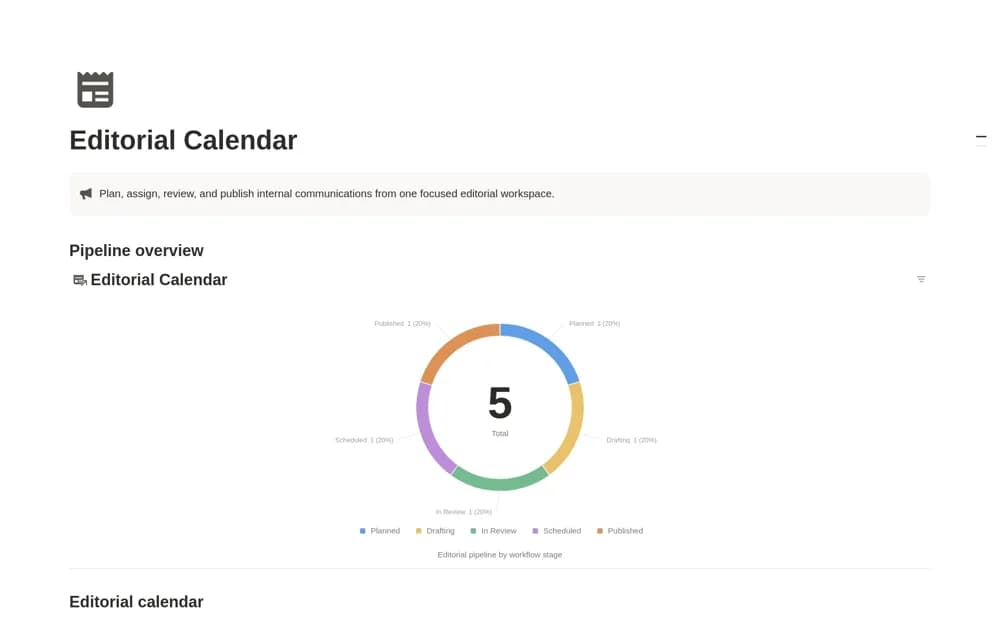
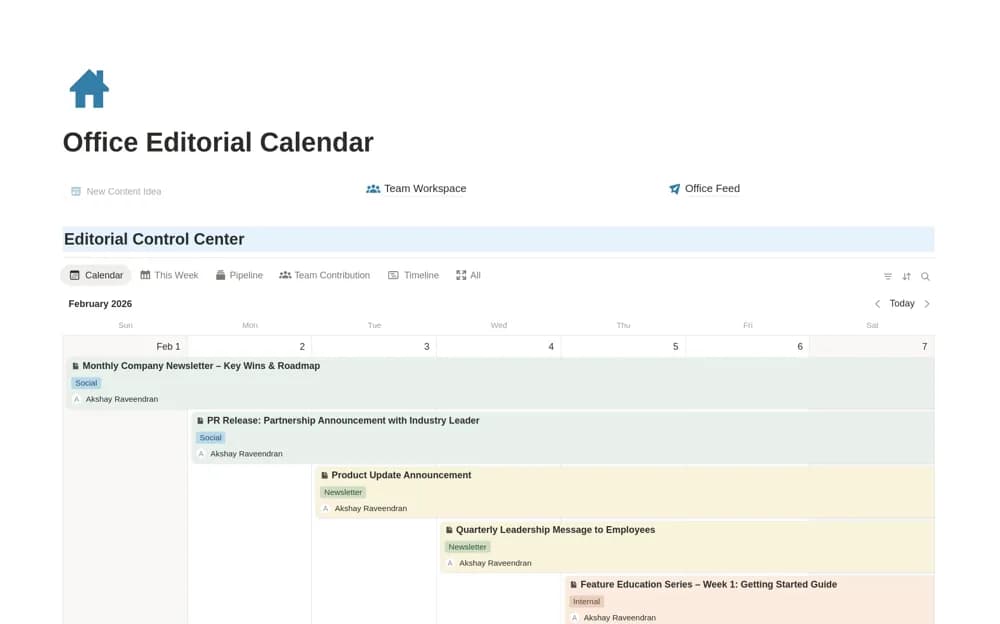
A shared editorial timeline for teams coordinating content across social media, newsletters, PR, internal email, and announcements, with ownership and a publishing flow.
What’s included
- Shared editorial timeline
- Content owners and channel context
- Idea-to-scheduled-to-published workflow
How to use it in practice
Enter a short publishing week and identify the owner and destination for each item. Review the shared timeline for conflicting messages before scheduling the work. Keep review decisions attached to the item, then record what actually went live so future planning uses the published history rather than an outdated intention.
Set it up in your workspace
- Open the original Notion Marketplace listing and add the template to your chosen workspace while signed in. Keep its example records until you understand how the pages connect.
- Enter a short publishing week and identify the owner and destination for each item.
- Try one complete example before adding a large backlog. Check that its views and any calculations show what you expect, then replace the sample content with your own.
Who it suits and what to consider
Communications teams and editors who need visibility across several publishing channels. The template focuses on office and communications coordination. Newsrooms can adapt the schedule, but sensitive reporting notes and source records need a separate appropriate structure.