About On‑Page SEO Checklist for Blogs & Landing Pages
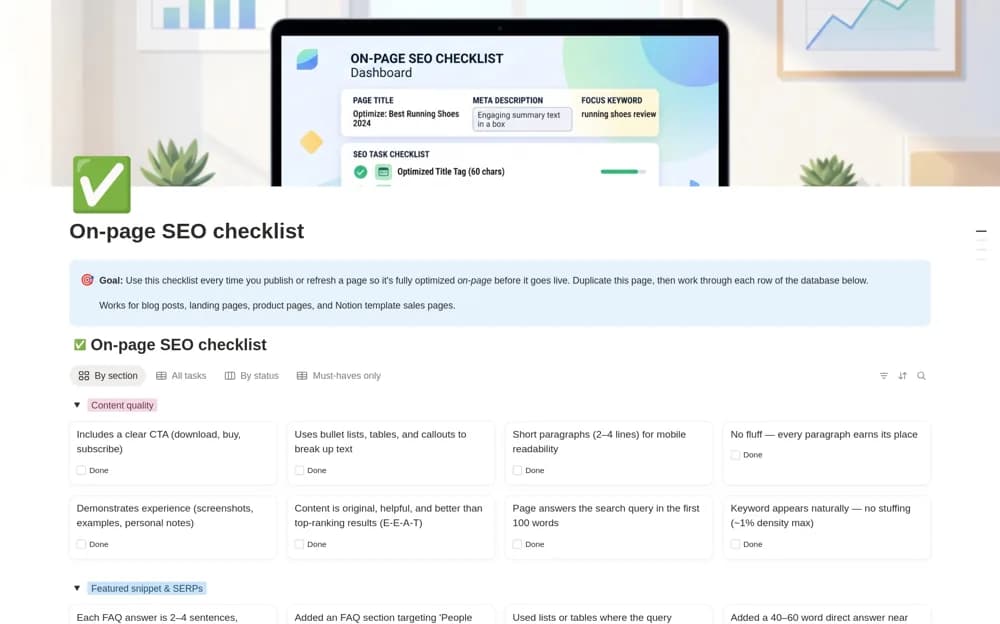
Review page content in Notion with an on-page SEO checklist covering metadata, headings, images, links, structured data, and publishing status.
What’s included
- Sixty-three categorized review tasks
- Must-have and optional priority labels
- Section, status, and pre-publication views
- Page URL, intent, and publishing details
How to use it in practice
Add the page URL and describe the reader’s actual purpose before working through the checklist. Check the live title, headings, image behavior, and links rather than marking tasks complete from memory. Record unresolved issues and verify changes on the published page before closing the review.
Set it up in your workspace
- Open the original Notion Marketplace listing and add the template to your chosen workspace while signed in. Keep its example records until you understand how the pages connect.
- Add the page URL and describe the reader’s actual purpose before working through the checklist.
- Try one complete example before adding a large backlog. Check that its views and any calculations show what you expect, then replace the sample content with your own.
Who it suits and what to consider
Writers and website owners reviewing a blog post, landing page, or product listing before publication. This is an on-page workflow, not proof of indexing or rankings. A target word count is an editorial planning choice, not a Google ranking requirement.