About Photo Shoot Planner
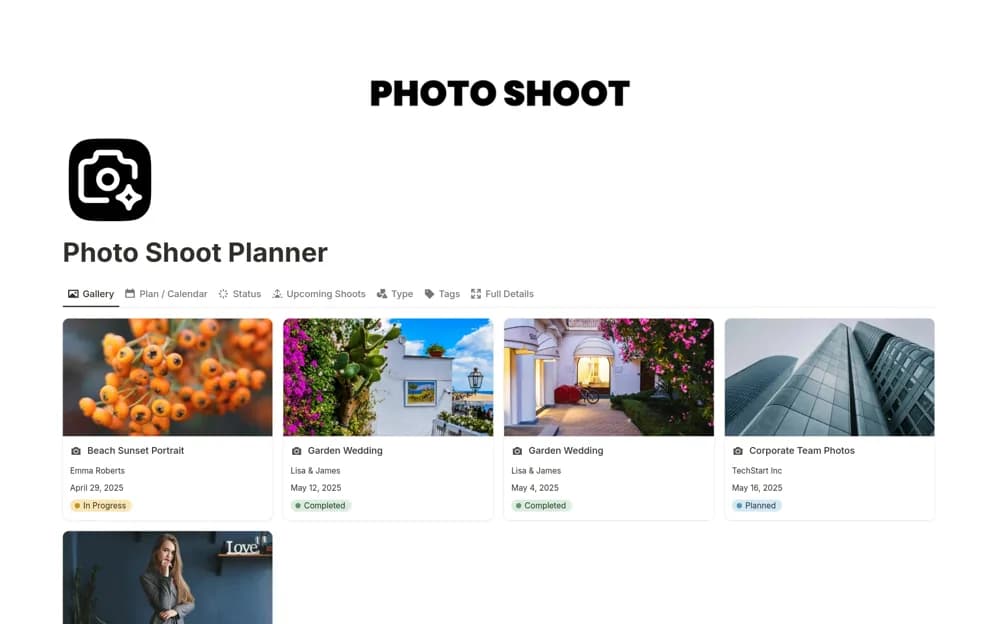
A photography job planner with shoot dates, status views, equipment lists, shot lists, and delivery follow-up.
What’s included
- Shoot records by date, status, and type
- Equipment tracking and shot-list templates
- Client communication and delivery organization
How to use it in practice
Plan one confirmed shoot with its brief, location, and essential shots. Check equipment and permissions before the day, then record the next client update and delivery commitment. Keep backups and image-file handling in the specialist process you already use.
Set it up in your workspace
- Open the original Notion Marketplace listing and add the template to your chosen workspace while signed in. Keep its example records until you understand how the pages connect.
- Plan one confirmed shoot with its brief, location, and essential shots.
- Try one complete example before adding a large backlog. Check that its views and any calculations show what you expect, then replace the sample content with your own.
Who it suits and what to consider
Freelance photographers and studios organizing client shoots. The workspace supports shoot coordination; it does not replace booking confirmation, image storage, or equipment checks.